
What Is IPTV? A Beginner’s Guide for USA (2026)
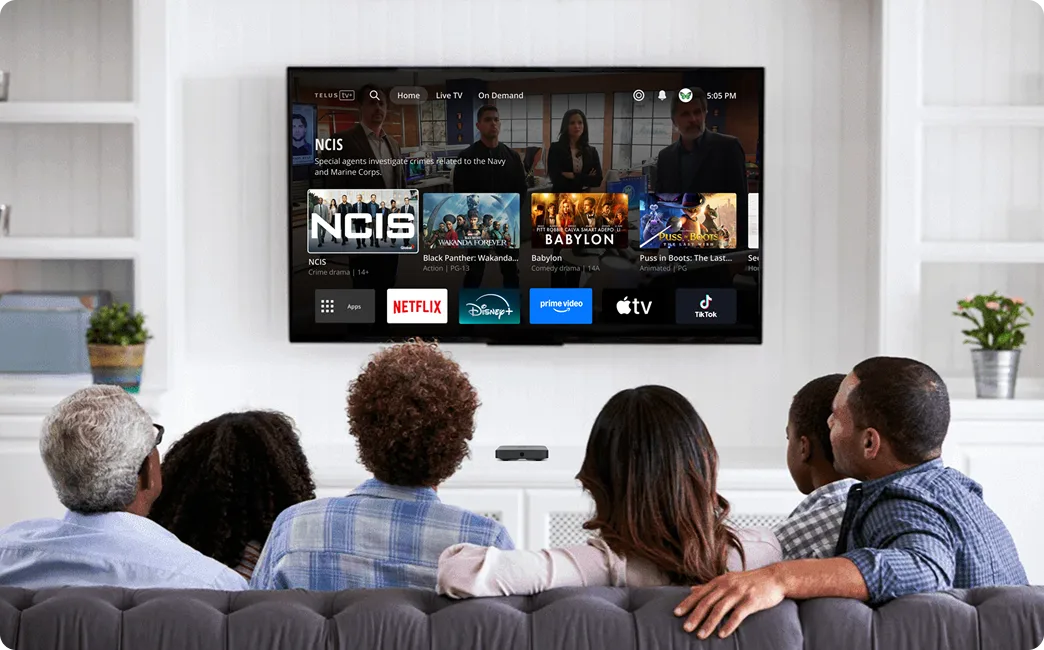
IPTV stands for Internet Protocol Television. Instead of receiving TV signals through traditional terrestrial antennas, satellite dishes, or coaxial cables, IPTV delivers live television, movies, and on-demand content directly to your devices through your internet connection. It works on Smart TVs, Firesticks, smartphones, computers, and tablets, giving you the freedom to watch what you want, when you want, without a cable box.
If you have been searching for a better way to watch television, you have probably stumbled across the term IPTV. Maybe a friend mentioned it. Maybe you saw it in a forum thread about cutting the cord. Either way, the concept can feel confusing at first. This guide answers every question a beginner in the United States could have about Internet Protocol Television in 2026. By the end, you will understand exactly how it works, what equipment you need, how it compares to cable and Netflix, and how to get started safely.
📌 Key Takeaways: Beginner’s Guide to IPTV
- Internet Protocol Television: Delivers live channels, movies, and TV shows over internet data packets rather than coaxial cable wires or satellite dishes.
- 4 Core Viewing Modes: Supports Live TV, Video on Demand (VOD), Catch-Up TV (rewind past broadcasts), and Time-Shifted TV.
- Universal Device Compatibility: Works across Firestick, Android TV, Smart TVs (Samsung/LG), Apple TV, PC, and mobile devices using player apps like TiviMate.
- Massive Savings: Replaces $140+/month cable bills with subscriptions starting at just $15/month or $66/year for 25,000+ live channels.
What Is IPTV?
IPTV is short for Internet Protocol Television. The name describes exactly what it does. It uses the same internet protocol that powers your web browsing, email, and social media to deliver television content to your screen. Instead of relying on radio waves, satellites, or copper cables, IPTV sends video data as digital packets across the internet.
This matters because the internet is bidirectional. Traditional broadcast television pushes a signal out to everyone simultaneously. You either catch it or you miss it. IPTV lets you pull content on demand. You request a channel, a movie, or a replay, and the server sends it directly to you. This fundamental difference unlocks features that cable and satellite simply cannot offer.
In practical terms, IPTV means you can watch Monday Night Football on your phone while commuting, finish a movie on your tablet in bed, and catch the morning news on your living room television. All three experiences run through the same subscription. All three use your existing internet connection. No satellite dish on your roof. No cable box rental. No technician appointments.
The technology behind IPTV has matured significantly. In 2026, most American households have broadband speeds capable of handling multiple high-definition streams simultaneously. The infrastructure is here. The apps are polished. The only remaining question is how to choose a service that fits your needs.
How IPTV Works
Understanding the mechanics removes the mystery. When you subscribe to an IPTV Subscription, you are essentially renting access to a private content library hosted on remote servers. Here is the journey from studio to screen.
First, the provider captures live television feeds from broadcasters, sports leagues, and movie studios. These raw video signals enter a headend facility, which is basically a high-tech control center. Specialized encoding hardware compresses the video into efficient digital formats like H.264 or H.265. Compression is essential because uncompressed video would overwhelm most home internet connections.
Next, the encoded content moves onto content delivery networks. These are geographically distributed server clusters designed to minimize the physical distance between the video and your device. If you live in Texas, your streams likely come from a Dallas server rather than one in New York. Shorter distance means lower latency, faster channel switching, and fewer buffering interruptions.
Your device connects to these servers through an app or media player. The app authenticates your account credentials, downloads your personalized channel list, and opens a direct stream. Modern IPTV apps use adaptive bitrate technology. If your WiFi momentarily weakens, the app automatically reduces quality from 4K to 1080p to prevent freezing. When your connection recovers, the quality climbs back up.
The entire process happens in milliseconds. To you, it looks like traditional television. Under the hood, it is a sophisticated data delivery system that treats video like any other internet content.
IPTV providers use multicast streaming for live channels, sending one stream to thousands of viewers at once. For on-demand content, they use unicast, creating a unique stream for each viewer so you can pause, rewind, and fast-forward freely.
Types of IPTV
Not all IPTV experiences are identical. The technology supports several distinct content formats. Understanding each type helps you decide what features matter most when choosing a service.
Live TV
This is the format most people picture when they think of television. Live IPTV streams broadcast networks, sports events, news channels, and entertainment stations in real time. The experience closely mirrors cable, except the signal travels through your internet connection rather than a coaxial line. You tune in at a specific time to watch a specific program. The difference is that Live TV through IPTV often includes thousands of channels from around the world, not just your local broadcast area.
Video on Demand (VOD)
Video on Demand operates like a digital video store that never closes. Instead of waiting for a scheduled broadcast, you browse a library of movies, series, and documentaries and select what you want to watch. The server begins streaming your choice instantly. You control playback with pause, rewind, and fast-forward functions. Premium IPTV Subscription plans typically include massive VOD libraries with tens of thousands of titles updated weekly.
Catch-Up TV
Life gets busy. Catch-up TV solves the problem of missing your favorite show because you were stuck in traffic or putting the kids to bed. This feature stores recently aired content on the provider’s servers for a limited window, usually between twenty-four hours and seven days. You open the electronic program guide, find yesterday’s episode, and watch it as if it were live. No manual recording required. No storage limits on your end.
Time-Shifted TV
Time-shifted television is a broader category that includes catch-up TV and start-over features. Some advanced platforms let you restart a currently airing program from the beginning even if you tuned in late. Others let you pause live television for minutes or hours and resume where you left off. These features blur the line between live broadcasting and on-demand viewing, giving you control that traditional TV never could.
How IPTV Differs from Cable TV
Cable television has dominated American living rooms for decades. It sends signals through physical coaxial cables installed underground or on utility poles. That infrastructure is expensive to maintain and limits what providers can offer. IPTV bypasses those physical constraints entirely.
With cable, your channel lineup is determined by your geographic location and the provider’s regional franchise agreements. You pay for bundles that include dozens of channels you never watch. Equipment rentals add hidden costs. Installation requires a technician visit. Contracts lock you in for one or two years.
IPTV eliminates nearly all of these pain points. Your channel selection comes from global servers, not local cable lines. You choose plans based on content, not geography. Most providers operate month-to-month. You use your own devices or inexpensive streaming sticks rather than renting proprietary boxes.
| Feature | IPTV (e.g. OURAIPTV) | Cable TV |
|---|---|---|
| Delivery Method | Internet connection | Coaxial cable |
| Channel Count | Thousands globally | Hundreds locally |
| Contracts | Typically month-to-month | 1-2 year commitments |
| Equipment | Your own device or streaming stick | Rented cable box |
| VOD Library | Extensive, often included | Limited, extra cost |
| Portability | Watch anywhere with internet | Tethered to home cable line |
| Setup | App download, minutes | Technician visit, hours |
IPTV vs Streaming Services
Many beginners confuse IPTV with mainstream streaming platforms like Netflix, Hulu, or Disney Plus. While both deliver video over the internet, they serve different purposes and use different business models.
Traditional streaming services operate on an over-the-top model. They license content, host it on public cloud servers, and deliver it through their proprietary apps. You get libraries of movies and series but no live television. If you want news, sports, or local channels, you need a separate service or an add-on package.
IPTV combines live television with on-demand libraries in a single platform. You get CNN at noon, the NFL game at four, and a movie at nine, all within the same interface. A quality Streaming Service built on IPTV technology merges the channel-surfing experience of cable with the binge-watching convenience of Netflix.
Another key difference is content freshness. Streaming platforms add shows on their own schedule, often months after broadcast. IPTV can offer live feeds and catch-up windows that put content in your hands within hours of airing.
IPTV vs Satellite TV
Satellite television beams signals from orbiting satellites to a dish installed on your property. It works well in rural areas where cable infrastructure does not reach. However, it comes with significant drawbacks that IPTV avoids entirely.
Weather is the biggest enemy of satellite TV. Heavy rain, snow, and thick cloud cover can block or distort the signal. If you live in a region with frequent storms, you have probably experienced the frustration of losing television precisely when you want to watch it most.
Satellite also requires physical installation. A technician mounts a dish, runs cables through your walls, and positions the equipment for optimal line-of-sight to the satellite. Apartments, condos, and rented homes often prohibit dish installation entirely.
IPTV needs none of this. As long as you have an internet connection, you have television. Storms do not affect your signal. Landlords cannot object to invisible data streams. You can move across the country and keep the exact same subscription without reinstalling anything.
| Feature | IPTV | Satellite TV |
|---|---|---|
| Weather Dependence | Not affected | Signal loss in storms |
| Installation | None required | Dish mounting and cabling |
| Portability | Use anywhere with WiFi | Fixed to installed location |
| Channel Variety | Global channel access | Regional packages |
| Cost Structure | Lower monthly fees | Higher base + equipment |
Advantages of IPTV
The shift toward IPTV is not accidental. Millions of Americans are cutting the cord because the benefits are concrete and immediate.
Massive Cost Savings
The average cable bill in the United States now exceeds one hundred and twenty dollars per month after fees, taxes, and equipment rentals. A Premium IPTV plan typically costs a fraction of that while delivering comparable or superior content. Over a full year, the savings can pay for a family vacation.
Unlimited Content Access
Cable bundles force you to pay for channels you never watch. IPTV lets you access thousands of stations from every continent. Whether you want local American networks, European football, Asian dramas, or Latin American news, the content is available without upgrading to a premium tier.
True Multi-Screen Freedom
Your subscription follows you. Start a movie on your television, pause it, and finish on your phone during a lunch break. Watch the morning news on your tablet while making coffee. This level of flexibility is impossible with a cable box that physically anchors you to one room.
No Long-Term Contracts
Most IPTV providers offer month-to-month billing. You are not trapped in a two-year agreement with escalating prices and early termination fees. If a service does not meet your expectations, you cancel and move on. This freedom forces providers to maintain quality or lose customers instantly.
Advanced Features
Catch-up TV, extensive VOD libraries, electronic program guides, and multi-connection plans are standard offerings. These features often cost extra with cable or are unavailable entirely.
Disadvantages of IPTV
No technology is perfect. Understanding the limitations helps you set realistic expectations and avoid frustration.
Internet Dependency
IPTV cannot function without a stable internet connection. If your provider experiences an outage or your bandwidth drops below minimum thresholds, your television stops working. This makes IPTV unsuitable for areas with unreliable broadband.
Quality Variation
The IPTV market includes everything from professional platforms with redundant servers to amateur resellers operating on overloaded shared hosting. Quality varies dramatically. Research is essential before handing over payment information.
Legal Complexity
While IPTV technology itself is completely legal, some providers operate without proper content licensing. Using an unlicensed service can expose you to legal risk and sudden service shutdowns. We will cover how to identify legitimate options later in this guide.
Learning Curve
For users accustomed to flipping channels with a familiar remote, IPTV apps can feel foreign at first. Installing apps, entering server URLs, and navigating electronic program guides requires a brief adjustment period. Most users adapt within a day or two.
| Advantages | Disadvantages |
|---|---|
| Significantly lower cost than cable | Requires stable internet connection |
| Thousands of global channels | Quality varies between providers |
| Watch on any device, anywhere | Some services operate without licenses |
| No contracts or hidden fees | Occasional server maintenance downtime |
| Catch-up, VOD, and EPG included | Learning curve for new users |
| 4K and HDR streaming support | Older devices may struggle with apps |
Supported Devices
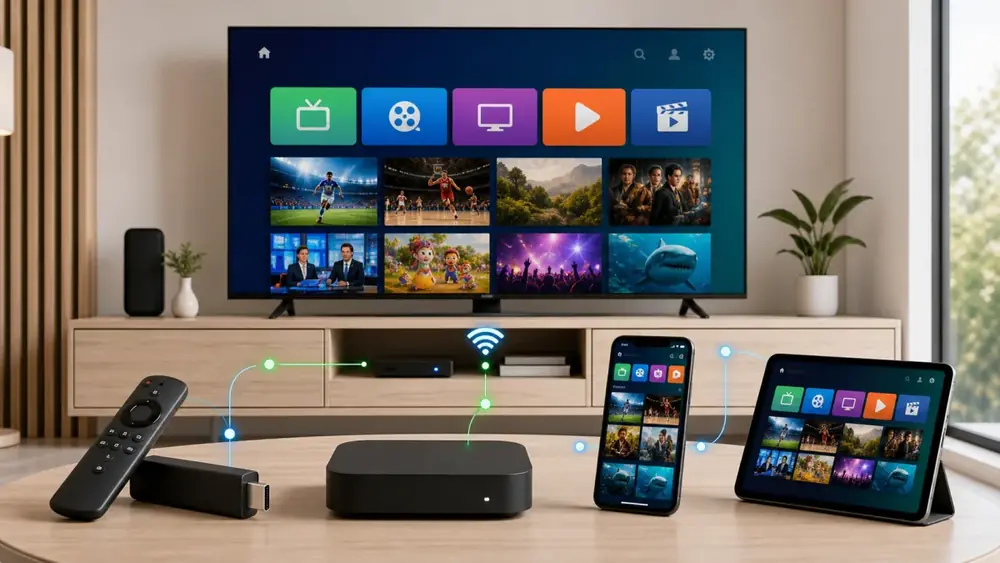
One of the biggest strengths of IPTV is device flexibility. If it connects to the internet and has a screen, it can probably run IPTV. Here is what beginners in the USA should know about each major platform.
Firestick
Amazon’s Fire TV Stick remains the most popular IPTV device in America. It is inexpensive, plugs directly into your television’s HDMI port, and supports a wide range of IPTV apps. The remote is optimized for navigation, and the interface is beginner-friendly. If you are new to IPTV, a Firestick is the safest starting point.
Android TV and Google TV
Televisions from Sony, TCL, Hisense, and others run Android TV or Google TV natively. You can install IPTV apps directly from the Google Play Store without any additional hardware. The experience is smooth, and voice search makes finding channels effortless.
Apple TV
Apple’s streaming box offers a polished interface and powerful hardware. While the app ecosystem is more restrictive than Android, several high-quality IPTV players are available. Apple TV is ideal for users already invested in the Apple ecosystem who want seamless integration with iPhones and iPads.
Samsung Smart TV
Samsung uses its own Tizen operating system. Look for providers that offer dedicated Tizen apps. Native app support means no extra remotes, no cables, and no clutter. The television itself becomes your entertainment hub.
LG Smart TV
LG televisions run WebOS, which supports a growing number of IPTV applications. Like Samsung, the advantage is direct installation. You power on your television, open the app, and start watching. Nothing else required.
Windows and Mac
Computers make excellent IPTV screens, especially for multitaskers who want to keep a news channel open in a corner while working. Most providers offer web players or downloadable desktop clients. A wired Ethernet connection delivers the most stable performance on computers.
iPhone and Android Phones
Mobile IPTV is perfect for commuters, travelers, and anyone who wants television in their pocket. iOS and Android apps are widely available. Just ensure your data plan can handle streaming if you are not connected to WiFi, as video can consume several gigabytes per hour.
| Device | Ease of Setup | Best For |
|---|---|---|
| Amazon Firestick | Very Easy | Beginners, budget users |
| Android TV / Google TV | Easy | Smart TV owners |
| Apple TV | Easy | Apple ecosystem users |
| Samsung Smart TV | Moderate | Minimalist setups |
| LG Smart TV | Moderate | Minimalist setups |
| Windows PC | Easy | Office or bedroom viewing |
| Mac | Easy | Office or bedroom viewing |
| iPhone / Android | Very Easy | Mobile and travel viewing |
Internet Speed Requirements
Your internet connection is the pipeline that delivers IPTV. If the pipe is too narrow, the stream stutters or fails. Here is exactly what you need for each quality tier.
| Stream Quality | Resolution | Minimum Speed | Recommended Speed |
|---|---|---|---|
| Standard Definition | 480p | 3 Mbps | 5 Mbps |
| High Definition | 720p – 1080p | 8 Mbps | 12 Mbps |
| Full HD | 1080p High Bitrate | 12 Mbps | 18 Mbps |
| 4K Ultra HD | 2160p | 25 Mbps | 35 Mbps |
| 4K HDR | 2160p + HDR | 30 Mbps | 50 Mbps |
These numbers assume one active stream. If your household watches different channels on three screens simultaneously, multiply accordingly. Three 4K streams could require ninety megabits per second or more. Most American broadband plans now offer at least one hundred megabits, which comfortably handles multiple 4K feeds with bandwidth to spare.
Connection stability matters as much as raw speed. A connection that fluctuates wildly between fifty and five megabits will cause buffering even if the average looks sufficient. Wired Ethernet connections provide more consistent performance than WiFi, which can suffer interference from neighboring networks, microwaves, and physical walls.
Test your real-world internet speed during peak evening hours between 7 PM and 11 PM. Many internet plans advertise maximum speeds that only occur during off-peak times. If your speed drops significantly at night, plan your IPTV quality settings accordingly.
How IPTV Content Is Delivered
Behind every smooth stream is a complex delivery chain. Understanding this chain helps you troubleshoot issues and appreciate why some providers charge more than others.
The process begins with content acquisition. Providers secure feeds from broadcasters, sports leagues, and content aggregators. These feeds enter encoding farms where raw video is compressed into efficient digital formats. The encoding quality directly impacts what you see on your screen. Aggressive compression creates artifacts, blurriness, and color banding. Professional providers invest in high-bitrate encoding that preserves detail.
After encoding, content moves to origin servers. These powerful machines store the video files and manage user authentication. However, origin servers alone cannot efficiently serve thousands of simultaneous viewers across a continent. That is where content delivery networks come in.
CDNs replicate content across dozens of regional data centers. When you request a channel in Miami, the CDN routes you to a server in Florida rather than one in California. This geographic proximity reduces the time data spends traveling through fiber optic cables, which translates to faster channel switching and less buffering.
The final link is your local network. Your router receives the data stream and forwards it to your device. Older routers with outdated WiFi standards can bottleneck even the fastest internet plans. If you experience persistent buffering despite having adequate bandwidth, your router may be the culprit.
M3U Playlist Explained
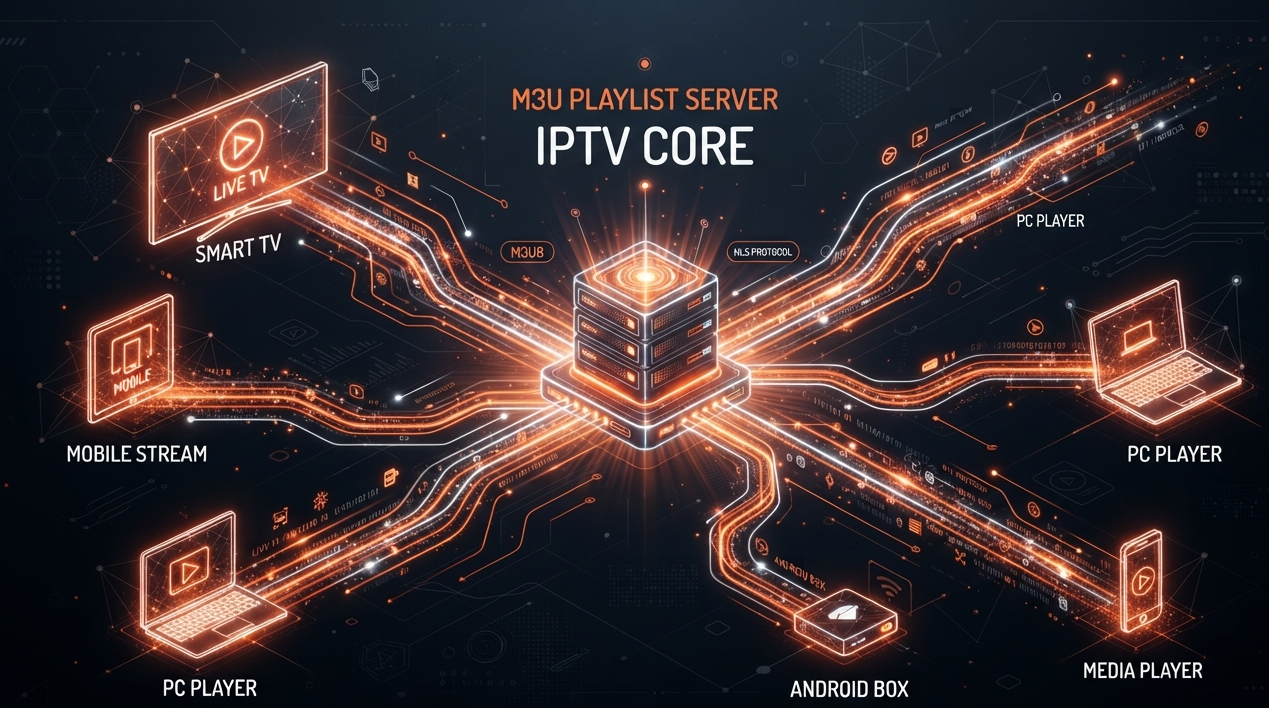
M3U is a file format that stores multimedia playlists. In the IPTV world, an M3U playlist is essentially a text document containing URLs for every channel and VOD item available on your subscription. Your IPTV app reads this file, parses the URLs, and displays the channels in an organized list.
When you subscribe to a service, the provider typically sends you an M3U URL rather than a physical file. This URL points to a dynamically generated playlist hosted on their servers. If the provider adds new channels or updates stream addresses, your playlist updates automatically. You do not need to download a new file every week.
To use an M3U playlist, you copy the URL your provider gives you and paste it into your IPTV app. Popular apps like IPTV Smarters, TiviMate, and VLC all support M3U URLs. The app then downloads the channel list and begins populating your interface.
M3U playlists can also include metadata such as channel logos, group categories, and electronic program guide URLs. Well-constructed playlists make navigation intuitive by sorting news channels into one folder, sports into another, and movies into a third.
Xtream Codes Explained
Xtream Codes is an API-based authentication system used by many IPTV providers. Instead of handing you a long M3U URL, the provider gives you a server address, a username, and a password. Your app uses these credentials to connect directly to the provider’s API.
This method offers several advantages over traditional M3U playlists. First, it is more secure. Your credentials are required for every connection attempt, making it harder for unauthorized users to steal your streams. Second, it enables richer metadata. Xtream Codes APIs can deliver detailed EPG data, VOD categories, and catch-up listings directly to the app. Third, it simplifies account management. Providers can reset passwords, change server addresses, or update packages without requiring users to reconfigure long URLs.
Most modern IPTV apps support both M3U and Xtream Codes login methods. When setting up your service, you typically choose the method your provider recommends. If you receive a username and password, use Xtream Codes. If you receive a long web link ending in .m3u, use the M3U method.
Electronic Program Guide (EPG)
The Electronic Program Guide is your television schedule. A quality EPG shows you what is currently airing, what is coming up next, and often provides episode descriptions, cast information, and cover art. Without an EPG, you are channel surfing blindly.
EPG data comes from content providers and aggregators who collect scheduling information from broadcasters around the world. The best IPTV services update this data multiple times per day and provide at least seven days of forward scheduling. Some premium platforms offer fourteen days or more.
Accuracy matters enormously. A provider with outdated EPG data will display the wrong show titles, incorrect start times, and missing program information. Before committing to a subscription, verify that the EPG correctly lists your favorite channels and updates regularly. A beautiful app with a broken guide is nearly useless.
VPN for IPTV
A Virtual Private Network serves three primary purposes for IPTV users. First, it encrypts your internet traffic, preventing your internet service provider from seeing what you are streaming. Second, it prevents ISPs from throttling streaming speeds, a practice some providers employ during peak hours. Third, it adds a layer of privacy by masking your real IP address.
Not all IPTV services work seamlessly with VPNs. Some block known VPN IP addresses to prevent abuse. Others experience buffering when routed through encrypted tunnels because the extra routing adds milliseconds of latency. The best approach is to test your VPN during the trial period before purchasing a long-term subscription.
Choose a VPN with fast server speeds and locations near your physical address. The closer the VPN server, the less impact on your connection speed. Avoid free VPNs, which often have overloaded servers, data caps, and questionable privacy policies. A reputable paid VPN costs roughly five to ten dollars monthly and is worth the investment for privacy-conscious users.
A VPN does not make illegal content legal. It protects your privacy and prevents throttling, but it does not grant immunity from copyright infringement. Always verify that your IPTV provider operates with proper licensing regardless of whether you use a VPN.
Is IPTV Legal in the USA?
This is the question every beginner should ask, and the answer requires nuance. IPTV as a technology is one hundred percent legal. Major telecommunications companies and broadcasters use internet protocol television to deliver content every day. The technology itself is not the issue.
Legality concerns arise from content licensing. A legitimate IPTV provider secures distribution rights from content owners before offering channels to subscribers. These rights are expensive and complex, which is why licensed services charge sustainable prices and maintain transparent business practices.
Unlicensed providers offer thousands of channels and pay-per-view events at prices that seem too good to be true. They operate without authorization from broadcasters, sports leagues, or movie studios. Using these services in the United States can expose you to legal risk. While enforcement historically targeted operators rather than individual viewers, the legal landscape is shifting. Copyright holders are increasingly pursuing end users, and internet service providers are required to forward infringement notices under the Digital Millennium Copyright Act.
How do you identify a legal provider? Look for transparency. Legitimate services have professional websites, clear Contact Us information, secure payment processors, and terms of service. They do not hide behind anonymous Telegram accounts or cryptocurrency-only payments. They invest in customer support because they plan to stay in business. When in doubt, trust your instincts. If a deal feels suspicious, it probably is.
Common IPTV Terms
The IPTV community uses jargon that can confuse newcomers. Here is a plain-English glossary of the terms you will encounter most often.
Buffering: The pause that occurs when your device runs out of downloaded video data and must wait for more to arrive. Usually caused by insufficient internet speed, server overload, or WiFi interference.
Bitrate: The amount of data processed per second in a video stream. Higher bitrates mean better image quality but require faster internet. A 4K stream at five megabits per second will look worse than a 1080p stream at eight megabits.
Catch-Up TV: A feature that lets you watch recently aired programs without recording them manually. Content remains available for a set window, typically twenty-four to seventy-two hours.
CDN (Content Delivery Network): A geographically distributed network of servers that delivers content from the location nearest to you, reducing latency and improving speed.
Codec: Software or hardware that compresses and decompresses video. H.264 and H.265 are the most common codecs in IPTV. H.265 offers better quality at lower bitrates but requires more processing power.
EPG: Electronic Program Guide. The on-screen schedule that shows current and upcoming programming.
Latency: The delay between a signal being sent and received. In IPTV, high latency causes delayed channel switching and lip-sync issues.
M3U: A file format for multimedia playlists. In IPTV, it contains the URLs for your channels and VOD content.
Multicast: A streaming method that sends one video feed to many viewers simultaneously. Efficient for live television but does not support pause or rewind.
PPV: Pay-per-view. Special events like boxing matches or wrestling shows that traditionally require an extra fee. Some IPTV providers include these in the base subscription.
Unicast: A streaming method that creates an individual connection between the server and each viewer. Required for VOD and time-shifted features.
VOD: Video on Demand. A library of movies and series that you can watch at any time.
Xtream Codes: An API system that authenticates users through a server address, username, and password rather than an M3U URL.
Common Beginner Mistakes
Every beginner makes missteps. Learning from others saves time, money, and frustration. Here are the errors we see most frequently.
Choosing price over quality. A ten-dollar lifetime subscription is a fantasy. Quality infrastructure, content licensing, and customer support all cost money. If a price seems impossibly low, the provider is likely overselling server capacity or operating illegally. A Reliable IPTV service prices its plans to sustain long-term operations.
Skipping the trial. Never commit to a long-term plan without testing. Use the trial period to verify channel availability, stream stability, and app compatibility on your specific devices. Test during evening peak hours when server load is highest.
Ignoring internet speed. Subscribing to a 4K service on a five-megabit connection guarantees disappointment. Verify your bandwidth before purchasing. Upgrade your internet plan if necessary.
Using outdated hardware. A first-generation Firestick or a decade-old Smart TV may lack the processing power and memory to run modern IPTV apps smoothly. Lag and crashes often stem from weak devices, not weak providers.
Forgetting about the EPG. A provider can have perfect streams and a useless guide. Without accurate program data, you will spend more time guessing what is on than actually watching television.
Sharing login credentials. Giving your username and password to friends or family members violates most terms of service. It also exposes you to account theft and unauthorized access.
Expert Tips
These recommendations come from years of hands-on experience with IPTV platforms, devices, and networks. Apply them from day one.
Start with a Firestick. If you are unsure which device to use, buy an Amazon Fire TV Stick 4K Max. It is affordable, widely supported, and powerful enough for any IPTV app. You can always upgrade later.
Use Ethernet whenever possible. WiFi is convenient but inconsistent. A wired Ethernet connection eliminates interference and delivers the stable bandwidth that IPTV demands. If your router is far from your television, consider powerline adapters or a mesh WiFi system.
Keep a backup service. Even the best providers experience occasional outages. Maintaining a secondary subscription for critical events ensures you never miss the championship game or season finale.
Learn your app. Spend thirty minutes exploring every menu, setting, and feature in your IPTV app. Understanding how to create favorites, adjust video settings, and navigate the EPG transforms your experience from frustrating to effortless.
Monitor your data usage. If your internet plan has a data cap, 4K streaming can consume over seven gigabytes per hour. Track your usage to avoid overage charges from your ISP.
Secure your account. Use a unique password for your IPTV subscription. Enable two-factor authentication if your provider offers it. Your login credentials are valuable. Treat them accordingly.
When you first set up your service, create a favorites list with your ten most-watched channels. This small step saves enormous time and makes the app feel personalized from day one.
Frequently Asked Questions (FAQ)
What is IPTV and how does it work?
IPTV stands for Internet Protocol Television. It delivers live television, movies, and on-demand content through your internet connection rather than traditional broadcast signals. Your provider hosts content on remote servers, which stream video directly to your device through an app or media player. You simply need an internet connection and a compatible device to watch.
Do I need a special device for IPTV?
No. IPTV works on devices you probably already own. Smart TVs, Amazon Firesticks, Apple TVs, smartphones, tablets, and computers all support IPTV apps. The most popular beginner device in the USA is the Amazon Fire TV Stick because it is inexpensive and easy to set up.
How fast does my internet need to be for IPTV?
For standard high-definition streaming, you need at least eight megabits per second. For 4K content, aim for twenty-five megabits per second or higher. If multiple people in your household stream simultaneously, multiply these numbers accordingly. A stable connection matters more than peak speed.
Is IPTV legal in the United States?
IPTV technology is completely legal. However, individual providers must secure proper licensing for the content they distribute. Legal providers operate transparently with professional websites, secure payments, and customer support. Avoid services that seem deliberately anonymous or offer impossibly low prices for premium content.
What is the difference between IPTV and Netflix?
Netflix is an over-the-top streaming service that offers licensed movies and series on demand. It does not provide live television. IPTV combines live channels, catch-up TV, and video on demand in a single platform. Think of IPTV as cable television delivered through the internet, while Netflix is a digital movie library.
What is an M3U playlist?
An M3U playlist is a text file or URL that contains a list of media stream addresses. Your IPTV player app loads this playlist to build your channel lineup and video catalog automatically.
Final Verdict
Internet Protocol Television represents the future of television delivery in the United States. By decoupling live broadcasting from physical cables and satellite dishes, IPTV gives consumers unprecedented control, flexibility, and affordability.
Whether you want to cut your monthly entertainment expenses, access global sports feeds, or watch TV on your own terms across multiple devices, IPTV provides a robust, proven solution. Start with a trial, choose a reputable provider, and experience what modern television should feel like.
Ready to Upgrade Your TV Experience?
Replace expensive $140/mo cable bundles with 25,000+ live channels and 100,000+ VOD titles for just $15/mo or $66/year.