
IPTV EPG Explained: How It Works & Why Your TV Guide Matters (2026)
Internet Protocol Television (IPTV) has transformed how households across North America consume television. By delivering live channel streams directly over standard broadband connections, IPTV allows live television channels to be delivered over an internet connection, giving users another way to access and organize live TV. However, when navigating thousands of live feeds, sports networks, and regional broadcasts, user experience depends heavily on one vital component: the Electronic Program Guide (EPG). For users discovering cord-cutting setups, technical terms such as EPG, XMLTV, and M3U can seem confusing. This guide breaks down the IPTV EPG from foundational mechanics to advanced player troubleshooting.
If you are new to internet-based streaming services, understanding what is IPTV serves as an excellent starting point before diving into metadata structures and program guide configurations. In this article, we examine how guide data connects to channel streams, why guides occasionally fail or display incorrect show times, and how to maintain a seamless TV guide on Amazon Firestick, Android TV, and Smart TV platforms.
Key Takeaways
- Metadata vs. Video Stream: An IPTV EPG supplies text schedules, channel titles, and program summaries. It operates independently from the actual live video stream.
- XMLTV Data Format: Most IPTV applications consume EPG data formatted in XMLTV files, matching individual channel IDs between the playlist and guide source.
- Independent Architecture: A missing or out-of-date EPG does not mean your live TV channel feed is offline; video rendering and schedule data travel via separate network paths.
- Cross-Platform Compatibility: EPG performance varies depending on media player software (e.g., TiviMate, IPTV Smarters) and device hardware optimization on Firestick, Android TV, or Smart TVs.
An IPTV EPG (Electronic Program Guide) is an interactive digital TV guide that displays real-time channel lineups, current show titles, upcoming broadcast schedules, episode descriptions, and start/stop timestamps within an IPTV media player. It translates raw metadata into a visual grid so viewers can navigate live television channels easily.
Table of Contents
- 1What Is IPTV EPG?→
- 2How Does IPTV EPG Work?→
- 3What Information Does an IPTV EPG Show?→
- 4IPTV EPG vs. a Traditional TV Guide→
- 5What Is XMLTV?→
- 6M3U vs EPG: What Is the Difference?→
- 7Why Is My IPTV EPG Not Showing?→
- 8How to Fix IPTV EPG Not Working→
- 9IPTV EPG on Firestick→
- 10IPTV EPG on Android TV and Google TV→
- 11IPTV EPG on Smart TVs→
- 12Why Is My IPTV EPG Wrong or Out of Date?→
- 13How Often Does IPTV EPG Update?→
- 14Does IPTV EPG Affect Streaming Quality?→
- 15Common IPTV EPG Problems & Solutions→
- 16Is IPTV EPG Worth Using?→
- 17Frequently Asked Questions (FAQs)→
What Is IPTV EPG?
An Electronic Program Guide (EPG) is an automated digital schedule interface embedded into media player software. When watching traditional cable or satellite, pressing the “Guide” button on a remote control pulls up an interactive grid displaying what is currently airing on each channel alongside upcoming shows later in the day. An IPTV EPG serves a similar basic purpose for internet-delivered TV feeds.
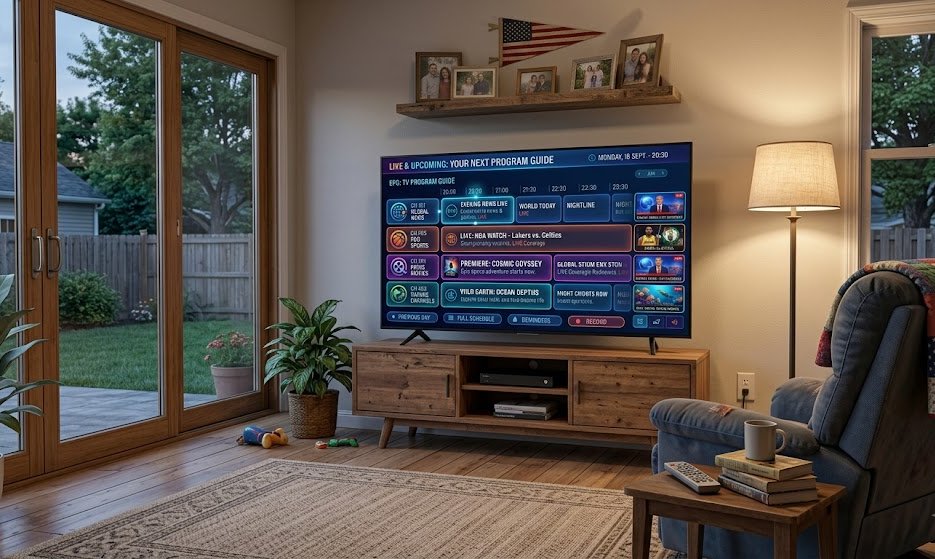
Without an EPG, browsing an IPTV service would require clicking through unorganized channel numbers or blind-testing streams to see what program is on air. The guide aggregates metadata into a readable structure, allowing users to scroll horizontally through time blocks and vertically through channel groups. A well-integrated EPG provides immediate clarity on:
- Channel Names & Network Call Signs: Identifying local affiliates, cable channels, and premium movie networks.
- Current Airing Programs: Live show titles along with real-time visual progress bars indicating elapsed duration.
- Upcoming Lineups: Scheduled broadcasts for hours or days ahead.
- Start & End Timestamps: Precise broadcast window timing synchronized to your local clock.
- Detailed Descriptions: Synopsis data, season and episode tags, release dates, and MPAA ratings where available.
- Genre Categories: Tagged classifications including Live Sports, Breaking News, Documentaries, Kids, and Feature Films.
By organizing raw network data into an interactive timeline, the EPG bridges the gap between raw data streams and a polished, familiar television experience.
How Does IPTV EPG Work?
To understand how an IPTV program guide functions on your television or mobile device, it helps to examine the underlying data architecture. Unlike traditional cable boxes where guide data is multiplexed directly inside the coaxial RF signal, IPTV divides video delivery and schedule metadata into two completely distinct channels.
The sequence follows a multi-step data flow process from source server to viewer screen:
The IPTV EPG Data Pipeline
- IPTV Service / Data Provider: The provider aggregates schedule metadata from global broadcast networks or automated scraping sources.
- EPG Data Source (XMLTV / API): The aggregated schedule data is formatted into an XML structure or JSON feed hosted on an accessible web server.
- EPG URL / Xtream Codes API: The user enters the provider’s EPG URL (or API credentials) into their IPTV media application settings.
- IPTV Player Parsing: The application downloads the remote guide file, parses the XML or JSON tags, and maps each channel ID to the corresponding stream entry in the user’s M3U playlist.
- Visual Display Rendering: The IPTV player constructs an interactive, real-time schedule grid on the display device.
CRITICAL TECHNICAL DISTINCTION: The Electronic Program Guide provides text and schedule information only. The EPG does not transmit, buffer, or deliver the actual live video stream. The video stream consists of continuous media packets (such as TS or HLS video files) retrieved from video CDN servers, whereas the EPG consists of small, periodic XML or JSON text files fetched from a metadata server. Because these components operate separately, an issue affecting guide updates will not necessarily disrupt live channel playback.
What Information Does an IPTV EPG Show?
The richness of an EPG interface depends on several variables: the depth of data supplied by the provider’s guide feed, the accuracy of channel ID matching, and the rendering capabilities of your chosen IPTV application. When fully populated, an IPTV EPG displays comprehensive metadata attributes across your channel lineup:
- Channel Identifier: The network title, call sign (e.g., NBC East, ESPN HD), and channel logo/icon.
- Current Program Header: Title of the show or event currently broadcasting.
- Time Progress Bar: Visual indicators showing how much time remains in the current broadcast.
- Future Broadcast Schedule: Multi-hour or multi-day preview timelines.
- Extended Synopsis: In-depth plot summaries, guest stars, director information, and sports matchup details.
- Episode Identifiers: Standard S01E05 tags for episodic television series.
- Content Ratings: Age-appropriateness indicators (e.g., TV-MA, PG-13).
- Audio / Video Tags: Icons denoting HD, 4K resolution, 5.1 Dolby audio, or closed-captioning support where supported by the player.
While premium feeds include full show graphics and detailed descriptions for major channels, smaller international broadcasts or niche streams may present minimal metadata depending on third-party guide availability.
IPTV EPG vs. a Traditional TV Guide
Viewers transitioning from traditional cable or satellite platforms often wonder how internet-based program guides differ from hardware-bound set-top box guides. While both serve the same basic navigational purpose, their technical foundations, data delivery mechanics, and customization options differ significantly.
| Feature / Dimension | Traditional Cable / Satellite Guide | IPTV Electronic Program Guide (EPG) |
|---|---|---|
| Data Delivery | In-band signal multiplexed over coaxial cable or satellite transponders directly to set-top box. | Out-of-band HTTP/HTTPS network requests downloading XMLTV or JSON data over the internet. |
| Flexibility & Customization | Fixed UI locked by cable provider firmware; limited font, color, or layout options. | Customizable via third-party players (grid sizes, dark modes, channel sorting, group filtering). |
| Device Compatibility | Restricted exclusively to proprietary rental set-top hardware provided by the ISP. | Runs on Amazon Firestick, Android TV, Google TV, Apple TV, Smart TVs, mobile, and PCs. |
| Channel Mapping | Automated standardization by cable provider based on local channel tier agreements. | Relies on matching channel IDs between M3U playlist tags and XMLTV data files. |
| Update Frequency | Periodic background pushes sent during off-peak overnight maintenance windows. | Configurable download intervals (e.g., on app launch, every 12 hours, or manual refresh). |
| Dependence on Sources | Single central network feed controlled end-to-end by the television provider. | Depends on third-party XML metadata feeds, open-source scraping, or provider EPG servers. |
While cable set-top guides benefit from tightly controlled infrastructure, many IPTV players offer additional customization options, such as channel sorting, group filtering, guide layouts, and display settings.
What Is XMLTV?
When configuring an IPTV player, users frequently encounter references to XMLTV or URLs ending in .xml or .xml.gz. Understanding what XMLTV is demystifies how IPTV applications load broadcast schedules.
XMLTV is an open-standard XML (Extensible Markup Language) format specifically designed to store and distribute television program listings. An XMLTV file organizes guide data into human-readable markup tags that computers and streaming applications can quickly read and parse. A simplified XMLTV snippet looks like this:
<channel id=”ESPN.us”>
<display-name>ESPN HD</display-name>
</channel>
<programme start=”20260812200000 +0000″ stop=”20260812220000 +0000″ channel=”ESPN.us”>
<title>Live Baseball Game</title>
<desc>Live coverage of tonight’s primetime game.</desc>
</programme>
</tv>
When an IPTV application fetches an XMLTV file, it reads the channel declarations (such as ESPN.us) and matches them against the channels listed in your IPTV playlist. When a match is found, the player displays the associated show titles, descriptions, and air times in the guide timeline.
Note on Usage: XMLTV is a widely adopted standard for TV metadata distribution across the IPTV industry. However, it is not the only method available. Many modern IPTV players also fetch EPG data dynamically using Xtream Codes API endpoints (which return JSON data) or custom portal protocols. Users may receive a standalone XMLTV URL or rely on automated API fetching depending on their service configuration.
M3U vs EPG: What Is the Difference?
One of the most common misconceptions among IPTV beginners is confusing an M3U playlist with an EPG file. While both are text-based URLs or files used to set up an IPTV player, they serve entirely different and complementary roles.
| Component | Primary Role | What It Contains | What Happens If Missing |
|---|---|---|---|
| M3U Playlist File | Tells the player where to stream video from. | Stream URLs, channel names, group categories, server ports, authentication tokens. | No video channels load; the application has no video stream targets to play. |
| EPG Data File (XMLTV) | Tells the player what is currently playing on each channel. | Channel IDs, show titles, descriptions, start/end times, category metadata. | Channels still play normally, but the guide grid displays “No Information” or blank titles. |
To visualize the distinction, consider a simple real-world example:
Your M3U playlist entry contains the instruction: “Channel ‘HBO East’ streams from http://server.com/live/user/pass/101.ts”. This gives your media player the exact destination to fetch the video feed.
Your EPG file contains the instruction: “Channel ID ‘HBO East’ airs ‘Movie Premiere’ from 8:00 PM to 10:00 PM”. This tells your media player what text to render in the TV guide for channel 101 during those hours.
When you set up an IPTV player, you typically input your M3U playlist link (or Xtream Codes API login) first, followed by your dedicated EPG URL. The application uses both links together to deliver a full video and guide experience.
Why Is My IPTV EPG Not Showing?
Opening an IPTV application only to find a completely blank guide grid or rows marked “No Information” is a frustratingly common issue. Because EPG data relies on accurate network requests, format parsing, and precise identifier matching, several potential factors can prevent guide data from appearing.
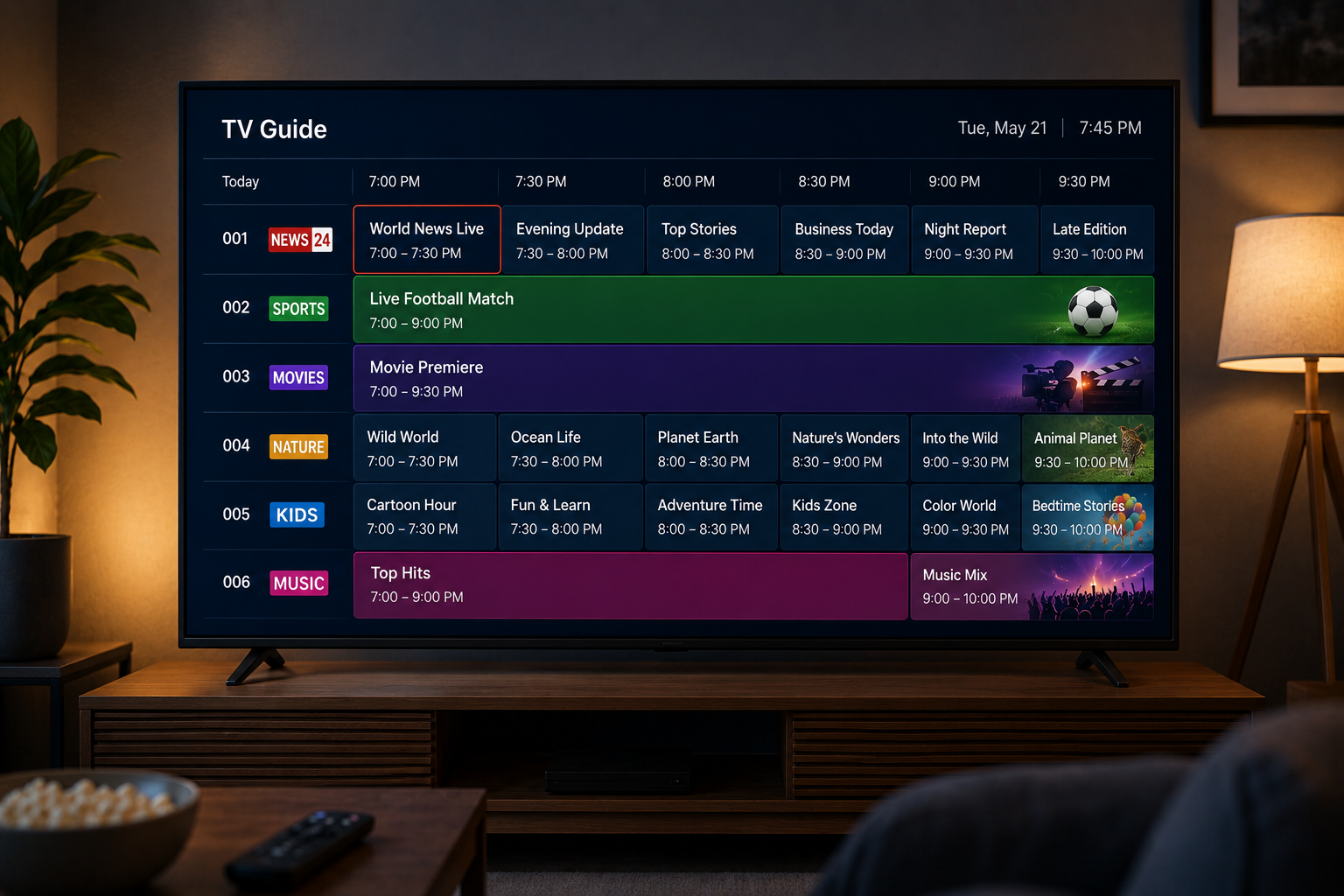
When evaluating why an EPG fails to load, technical causes generally fall into one of several primary categories:
- Missing EPG URL: The user entered the M3U playlist link during setup but left the EPG URL field blank in the player settings.
- Syntax Errors in EPG Link: Small typos, incorrect character capitalization, unwanted spaces, or missing punctuation in the EPG server web address.
- Server-Side Guide Downtime: The provider’s EPG server or third-party XMLTV host is undergoing maintenance, experiencing high traffic, or temporarily offline.
- Stale or Expired Local Cache: The IPTV application saved an outdated guide file locally and failed to download the newest schedule update.
- Channel ID Mismatch: The
tvg-idvalue in your M3U playlist does not match thechannel idtag inside the XMLTV file, preventing the app from pairing the guide to the channel. - Device Time & Timezone Misconfiguration: Your device clock or timezone setting is incorrect, causing the app to search for guide listings hours outside the current broadcast window.
- Insufficient Storage / Memory Allocation: Low-spec streaming sticks running low on internal RAM or flash storage may fail to parse large EPG files containing thousands of channels.
- Player Parsing Incompatibility: Certain older IPTV players cannot read compressed
.xml.gzguide files or struggle with oversized data feeds.
Using a systematic diagnostic approach allows users to isolate whether an EPG issue stems from local device settings, app configuration, or provider infrastructure.
How to Fix IPTV EPG Not Working
If your program guide is missing, incomplete, or failing to update, follow this practical 10-step troubleshooting process to resolve the issue:
- Verify Application EPG Support: Ensure your media player app actively supports external EPG inputs. While apps like TiviMate, IPTV Smarters, and IBO Player offer robust EPG managers, basic video players may lack guide parsing features.
- Force Refresh the Channel Playlist: Open your player settings and select “Refresh Playlist”. This updates the channel index and pulls down updated
tvg-idmapping tags from your provider. - Force Refresh EPG Data: Navigate to the EPG menu inside your app settings and execute a manual “Refresh EPG” or “Update Guide” command to force a fresh download.
- Audit the EPG URL for Typos: Double-check every character of your EPG web link. Confirm correct HTTP/HTTPS protocols, domain spellings, port numbers, and file extensions (e.g.,
.xmlvs.xml.gz). - Check Channel ID & Manual Assignment: In advanced apps like TiviMate, long-press a channel displaying “No Information”, select “Assign EPG”, and manually search for the matching network title in your EPG database.
- Synchronize Device Clock & Timezone: Go to your streaming device settings (Firestick, Android TV, or Smart TV) and verify that the date, time, and timezone offset are set to automatic network synchronization.
- Review Player Setup Steps: For complete player setup guidance across different devices, consult our comprehensive IPTV installation guide to verify that network settings and playlist types match recommended standards.
- Clear Application Cache & Restart: Go to your device’s Application Manager, select your IPTV app, clear its cache memory (do not clear data unless re-entering credentials), and reboot the application.
- Test in a Secondary IPTV Player: Install an alternative compatible application to determine if the issue is isolated to your primary player software or affects your provider’s guide feed globally.
- Contact Provider Technical Support: If the guide fails to load across multiple devices and applications, contact your provider to check if server-side maintenance is affecting EPG distribution.
IPTV EPG on Firestick
Amazon’s Fire TV Stick line represents the most popular hardware platform for streaming IPTV in North America. However, Firestick models feature varied processor specs and limited internal RAM, which can influence how smoothly an IPTV application processes large guide databases.
To maintain optimal EPG performance on Firestick devices, consider the following platform considerations:
- Select Lightweight Media Players: Applications optimized for Android TV/Fire OS architecture—such as TiviMate, IPTV Smarters Pro, or XCIPTV—manage EPG caching efficiently without overtaxing processor memory.
- Manage EPG Retention Period: If your IPTV player allows you to control how much EPG history or future data is stored, reducing the retention period can help limit the amount of guide data the app has to manage.
- Utilize Direct App Integrations: Where supported, selecting the best IPTV players built specifically for Android media boxes ensures proper background EPG syncing when the device awakes from sleep mode.
- Perform Regular Cache Cleanups: Periodic use of Fire OS storage utilities prevents stale EPG database files from cluttering local flash memory.
IPTV EPG on Android TV and Google TV
Devices powered by Android TV and Google TV (such as the Nvidia Shield TV, Chromecast with Google TV, and Onn 4K streaming boxes) offer robust operating systems with native background processing capabilities.
Android TV handles EPG workflows effectively through several distinct platform advantages:
- TV Input Framework (TIF) Support: Android TV features built-in framework hooks allowing supported IPTV applications to feed channel and EPG schedule data directly into the system-level Live Channels interface.
- Hardware Optimization: Device hardware can affect how comfortably an IPTV application handles large guide databases, particularly when many channels and extended schedule data are loaded.
- Multi-Source Guide Merging: Advanced Android TV players allow users to add multiple EPG URLs simultaneously, automatically filling guide gaps if a primary source misses specific regional channels.
IPTV EPG on Smart TVs
Running IPTV applications directly on Smart TVs—such as Samsung models running Tizen OS or LG televisions running webOS—eliminates the need for external HDMI streaming sticks. However, native Smart TV operating systems introduce distinct EPG performance factors.
Smart TV IPTV apps can differ considerably in how they handle EPG imports, channel mapping, and guide data. Some apps allow direct EPG configuration, while others may use a provider login or a separate management system. If EPG works correctly on another compatible device but not on your Smart TV, the app or platform may be contributing to the problem.
Why Is My IPTV EPG Wrong or Out of Date?
Occasionally, an EPG loads without error, but the listed program titles do not match what is actually broadcasting on air, or show times appear shifted by several hours. This mismatch happens for specific technical reasons:
- Timezone Offset Misalignments: XMLTV schedule timestamps are usually indexed in Universal Coordinated Time (UTC). If your IPTV player does not automatically convert UTC to your local time zone (e.g., EST or PST), listings will display several hours ahead or behind actual broadcast times. Most players include an “EPG Time Shift” setting (+1h, -1h, etc.) to correct this.
- Daylight Saving Time (DST) Transitions: When regions transition into or out of Daylight Saving Time, guide feeds that fail to adjust UTC offsets promptly can exhibit temporary 1-hour schedule errors.
- Unannounced Network Lineup Shifts: Live breaking news, overtime sporting events, or sudden network schedule changes may not reflect instantly in scraped EPG feeds.
- Channel Group & Regional Feed Variations: A provider listing “Discovery Channel” might link the video stream for the US West feed while pairing it with the EPG metadata for the US East feed.
Remember that because video streaming and guide metadata travel via separate systems, a channel can stream perfect HD video even while displaying an incorrect show title. If live channel playback stutters or stops altogether while the guide works fine, the issue stems from video delivery rather than guide parsing. In such cases, reviewing our guide on fixing IPTV buffering can help troubleshoot video network issues.
How Often Does IPTV EPG Update?
Update frequency for IPTV program guides varies depending on the provider’s infrastructure and your media player’s internal synchronization settings. Depending on the source, EPG data may be refreshed periodically throughout the day to account for broadcast changes and schedule updates.
Guide update intervals operate across two distinct stages:
1. Provider Server Refresh: The upstream IPTV provider runs automated cron scripts to fetch fresh network schedule data from broadcasting sources. The frequency of provider-side EPG updates varies by service and data source. Some feeds may update multiple times throughout the day, while others may refresh less frequently.
2. Player Application Sync: Your local IPTV application must download that updated file to display fresh schedules. Most modern players permit users to customize auto-refresh rules—such as updating EPG on application boot, every 12 hours, or every 24 hours. Setting your app to refresh guide data daily ensures accurate schedule listings without generating excessive network overhead.
Does IPTV EPG Affect Streaming Quality?
A frequent point of confusion for cord-cutters is whether an EPG plays any role in video stream quality, buffer rates, or picture resolution.
EPG data is separate from the video stream, so problems with guide data generally do not cause video buffering or playback stuttering.
To prevent misunderstandings during diagnostic troubleshooting, keep these distinctions in mind:
- A missing or blank EPG will NOT cause video buffering: If a channel displays “No Information” in the guide grid, the live channel feed will still play normally when selected.
- A perfectly populated EPG does NOT guarantee smooth streaming: Having full 7-day guide listings for every channel does not prevent network congestion or ISP throttling if server bandwidth is constrained.
- EPG downloads use separate data from video streams: EPG downloads are generally much smaller than continuous video streams, although the size of a guide file can vary considerably depending on the number of channels and amount of schedule data included.
Common IPTV EPG Problems & Solutions
Use the reference guide below to quickly identify root causes and solutions for frequent EPG issues across IPTV media players:
| Problem Observed | Possible Root Cause | Recommended Action / Fix |
|---|---|---|
| EPG Completely Blank | Missing EPG URL, typo in link, or server offline. | Check URL spelling in player settings; force manual EPG update; verify server status. |
| EPG Works on Some Channels Only | Channel ID missing in XMLTV file or unmapped channel. | Use player’s “Assign EPG” tool to manually map missing channel metadata. |
| Program Times Off by 1-3 Hours | Timezone mismatch between device clock and UTC guide file. | Adjust device timezone settings or set an “EPG Time Shift” (+/- hours) in player. |
| Guide Shows “No Information” | Stale app cache or expired guide database file. | Execute “Clear EPG Cache” followed by “Refresh EPG” in your application settings. |
| EPG Stops Updating After Days | Disabled background update setting in player. | Enable “Update EPG on Startup” or configure 12-hour auto-refresh intervals. |
| Channel Names Don’t Match Guide | Provider updated M3U playlist without updating EPG tags. | Force a full playlist refresh; contact provider if channel IDs remain misaligned. |
| Guide Grid Loads Extremely Slowly | Oversized EPG file stored on low-RAM device (e.g., Firestick). | Reduce guide storage history to 1-2 days in app settings; clear app cache. |
| EPG Works on Firestick but Fails on Smart TV | Smart TV application parsing limitations or portal issue. | Verify web portal configuration for Smart TV app; test external streaming stick. |
Is IPTV EPG Worth Using?
For viewers who regularly watch live television, news broadcasts, and live sports events, a well-configured Electronic Program Guide transforms IPTV from a basic list of stream links into a modern, easy-to-use entertainment platform.
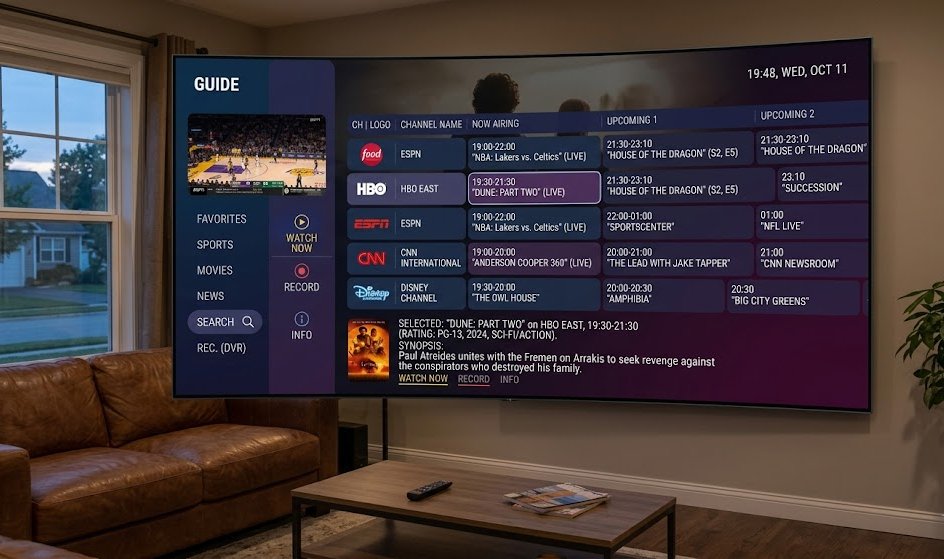
Key practical benefits of setting up an EPG include:
- Effortless Content Discovery: Browse what is playing across dozens of networks instantly without clicking through active streams.
- Live Sports & Event Tracking: Track exact start times for games and live broadcasts across regional networks.
- DVR & Catch-Up Integration: On supported players and services, selecting past EPG entries allows users to trigger cloud Catch-Up playback or schedule future recordings.
- Structured Channel Surfing: Organize channels into logical categories (Sports, Movies, News) backed by clear show titles and descriptions.
If you encounter broader channel delivery issues beyond guide metadata, consulting our guide on why your IPTV may not be working covers complete diagnostic steps for playlist and connection errors. To evaluate how an integrated guide performs on your own home network and media devices, exploring an OURAIPTV free trial provides an ideal, risk-free environment to test channel organization, stream stability, and guide features firsthand.
When evaluating IPTV platforms, guide accuracy represents an important usability consideration alongside channel variety, hardware compatibility, and overall connection stability. Reviewing our comparison of the best IPTV subscription options can help you select a setup tailored to your viewing preferences.
Frequently Asked Questions (FAQs)
1. What does EPG mean in IPTV?
EPG stands for Electronic Program Guide. In IPTV, it is an interactive digital menu that displays channel schedules, current show titles, air times, and upcoming program descriptions directly within your media player application.
2. How does IPTV EPG work?
An IPTV player downloads structured guide data (typically XMLTV or JSON format) from a remote server, matches channel IDs between your playlist and the guide file, and renders an interactive TV schedule grid on your screen.
3. What is an XMLTV EPG?
XMLTV is an open XML file standard used to store and distribute television listings. IPTV applications read XMLTV files to display structured channel schedules and program summaries.
4. Why is my IPTV EPG not showing?
Common reasons include a missing or mistyped EPG URL, mismatched channel IDs between the playlist and guide feed, stale app cache, timezone misconfigurations, or server-side downtime from the data provider.
5. Why is my IPTV EPG wrong or out of date?
Out-of-date guide data happens when the provider’s EPG source hasn’t updated its feed, the player hasn’t refreshed its local cache, or the device’s clock and timezone settings do not match the program schedule.
6. Does IPTV EPG affect buffering?
No. EPG data consists entirely of text metadata and operates separately from the video stream. A missing or slow EPG does not cause video stream buffering or playback stuttering.
7. How do I refresh IPTV EPG data?
Navigate to your IPTV player’s settings menu and select “Refresh EPG” or “Clear and Update Guide Data”. Force-closing the application or clearing its cache memory also forces a fresh guide download.
8. Does EPG work on Firestick?
Yes. Popular Firestick IPTV applications such as TiviMate, IPTV Smarters, and XCIPTV support full EPG integration when configured with a valid EPG URL or provider login.
9. Does every IPTV service provide EPG?
Not all providers deliver complete EPG listings for every channel. While top-tier providers maintain broad guide coverage for major networks, smaller niche or international channels may occasionally lack detailed schedule metadata.
10. Do I need an EPG to watch IPTV?
No. An EPG is not required to stream video. You can still select and play live TV channels from your M3U playlist even if no program guide information is available.