
18 Best IPTV Players for Firestick, Android TV & Smart TVs (2026)
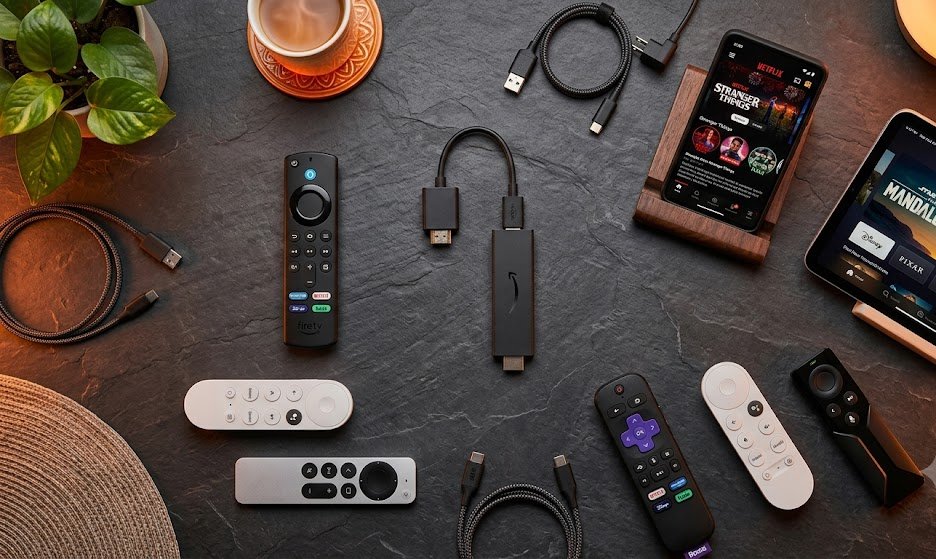
If you are an avid live TV streamer, you know that finding the right IPTV player is key to unlocking a smooth, buffer-free entertainment experience. An IPTV app serves as your media interface — connecting your streaming hardware (like an Amazon Firestick, Android TV box, Smart TV, or PC) to your live TV subscription. In this comprehensive 2026 guide, the OURAIPTV research team reviews 18 top IPTV apps, breaks down essential criteria for choosing a player, and shows you how to connect your app to a reliable IPTV provider.
📌 Key Takeaways
- An IPTV App is NOT an IPTV Subscription: IPTV apps are video player tools (like VLC or MX Player). You must pair them with an active provider like OURAIPTV to load channels and VOD.
- TiviMate & IPTV Smarters Pro Lead the Industry: TiviMate remains the ultimate choice for power users seeking an EPG grid, while IPTV Smarters Pro offers top multi-platform ease across Firestick, iOS, Android, and Smart TVs.
- 18 Top Players Evaluated: From Formuler-exclusive MYTVOnline3 to lightweight options like XCIPTV, Sparkle TV, OwnTV, and Televizo, there is a player suited to every streaming device.
- Legality & Safety: IPTV player applications are 100% legal tools since they host no media content. Pairing them with an encrypted connection ensures privacy.
- Simple 5-Minute Setup: Connection takes under 5 minutes using Xtream Codes API, M3U URLs, or Stalker Portals with our step-by-step installation guide.
What Is an IPTV App (and How Is It Different from an IPTV Subscription)?
The distinction between an IPTV app and an IPTV subscription is the single most important concept for cord-cutters in the USA to understand.
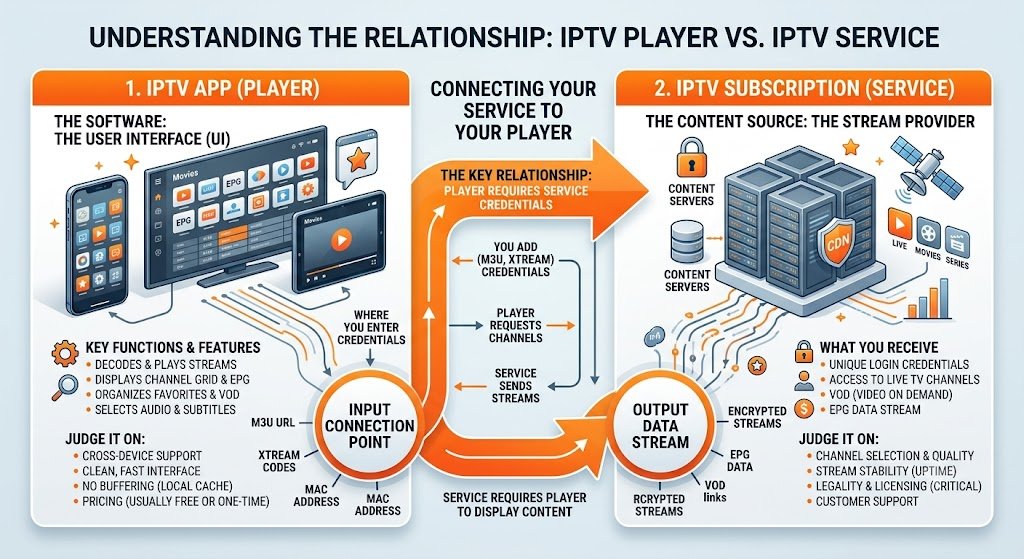
An IPTV app (also known as an IPTV player) is the frontend application you download onto your streaming device. It handles video decoding, displays channel categories, builds your Electronic Program Guide (EPG), and lets you control playback. Examples include TiviMate, IPTV Smarters Pro, and XCIPTV.
An IPTV subscription is the backend service that delivers the actual streaming feeds, live TV channels, sports channels, and VOD movies over the internet. When you purchase a plan from OURAIPTV, you receive login credentials (such as an Xtream Codes API username, password, and server URL) which you input into your IPTV app.
You need both for a complete setup. The IPTV player provides the interface, while the subscription provides the stream content. For a detailed breakdown of cord-cutting basics, read our beginner’s guide to IPTV.
Think of the IPTV player app as a DVD player or web browser, and the IPTV subscription as the disc or website. The player provides the engine to watch, while the subscription provides the actual entertainment content.
How to Choose the Best IPTV Player
Selecting an IPTV player comes down to individual preference, device compatibility, and desired features. Not all live TV apps are created equal — some are built for fast, simple channel surfing, while others offer advanced DVR recording, multi-screen views, and custom playlist parameters.
Here are the key factors to evaluate when selecting your player:
Supports quick API login with username, password & server URL
Renders live TV program schedules and channel guide data
Allows viewing 2–4 live channels simultaneously on one screen
Integrates VLC or MX Player for smooth playback and custom codecs
Core features to check before picking an app include:
- User Interface (UI): Sleek navigation, customizable channel groupings, and remote control responsiveness.
- Xtream Codes & M3U Playlist Support: Seamless integration with standard IPTV stream protocols.
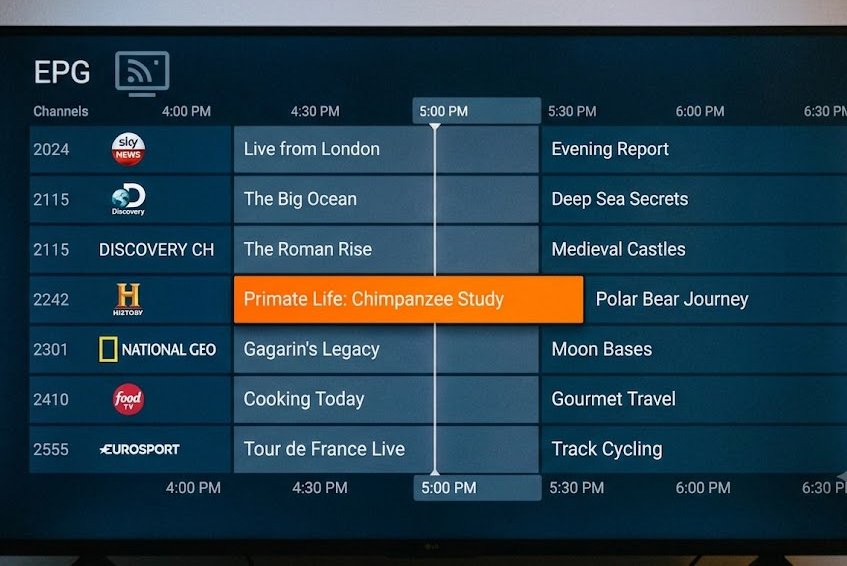
- Electronic Program Guide (EPG): Accurate, multi-day channel guide rendering for tracking schedules.
- External Player Integration: Ability to launch streams in external players like MX Player or VLC to eliminate buffering.
- Recording & Catch-Up TV: DVR capability to schedule recordings or rewind live broadcasts.
- Favorites Manager & VOD: Easy organization of favorite channels, movies, and TV show series.
- Multi-Screen View: Split-screen viewing for keeping track of multiple live games at once.
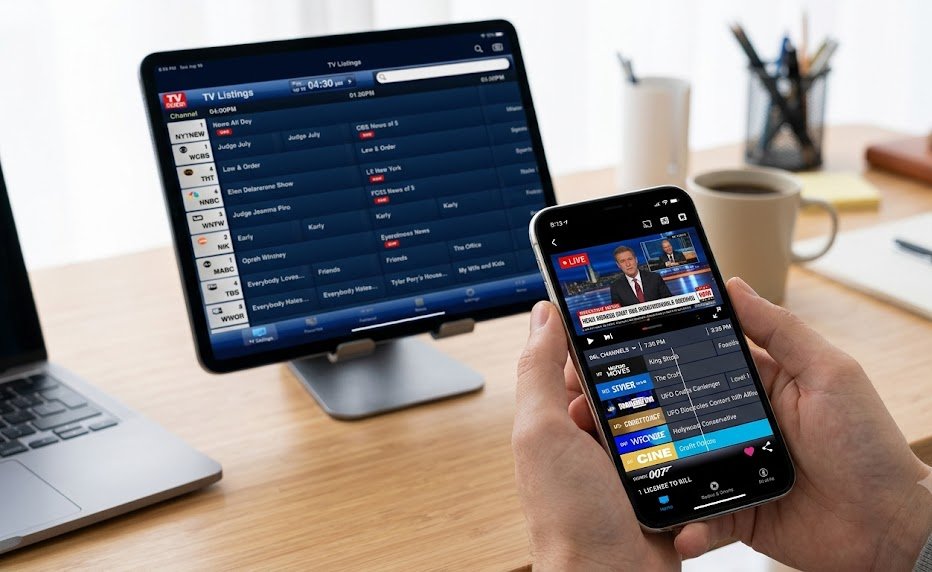
If you’re an avid sports viewer wanting to watch multiple games at once, prioritize players with Multi-Screen support (like TiviMate or Chillio) and pair them with a high-speed live sports streaming setup.
18 Best IPTV Players in 2026 — Detailed Reviews
Our team tested dozens of streaming applications across Amazon Firestick, Android TV boxes (including Onn 4K Pro and NVIDIA Shield), Smart TVs, Apple TV, iOS, and PC. Below are the 18 top IPTV players ranked for performance, feature depth, and reliability in 2026.
1. TiviMate
#1 Overall IPTV Player for Firestick & Android TV
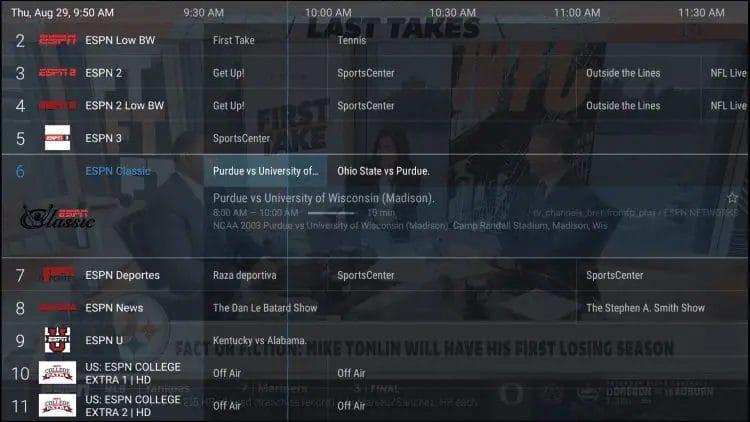
TiviMate tops our list as the undisputed king of IPTV players. Used by millions of cord-cutters worldwide, TiviMate delivers an unmatched cable-like TV Guide interface with blazingly fast channel switching.
Key Features:
- Full-screen customizable EPG TV Guide layout with channel logos
- Scheduled & recurring DVR recordings to local or network storage (SMB)
- Multiple playlist management (M3U & Xtream Codes API)
- Picture-in-Picture (PIP) & Multi-screen mode (up to 4 channels)
- Auto Frame Rate (AFR) matching & custom category groups
TiviMate offers a free tier as well as a Premium version ($9.99/year or $33.99 lifetime). The Premium upgrade is highly recommended for unlocking DVR recording, parental controls, and multi-playlist management. TiviMate pairs flawlessly with OURAIPTV credentials.
2. IPTV Smarters Pro
Best Multi-Platform Player (Free)
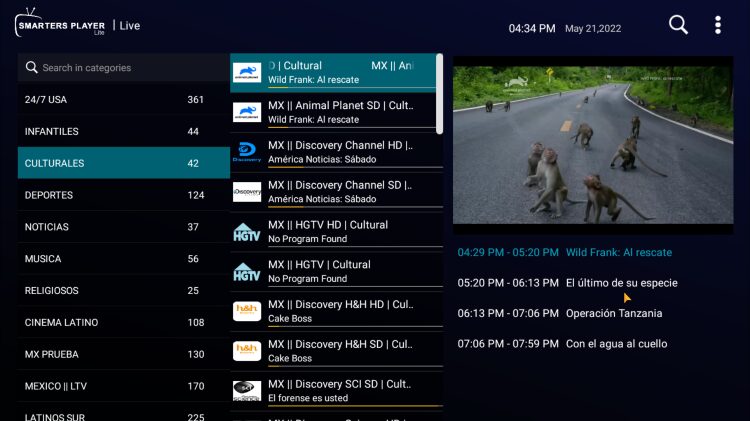
IPTV Smarters Pro is one of the most reliable and versatile IPTV applications in existence. It has stood the test of time due to its clean design, zero cost, and widespread availability across almost every operating system.
Key Features:
- 100% Free with no hidden fees or mandatory subscriptions
- Xtream Codes API & M3U Playlist login support
- Built-in EPG, catch-up TV, and recording functions
- Compatible with Firestick, Android TV, iOS (iPhone/iPad), Samsung Tizen, LG webOS & Windows
- Integrated speed test & external player support (VLC/MX)
If you want a single app that looks and works identical on your TV, phone, tablet, and laptop, IPTV Smarters Pro is the top choice. It’s ideal for beginners who want instant, painless setup.
3. MYTVOnline3
Best Premium Player for Formuler Android Boxes
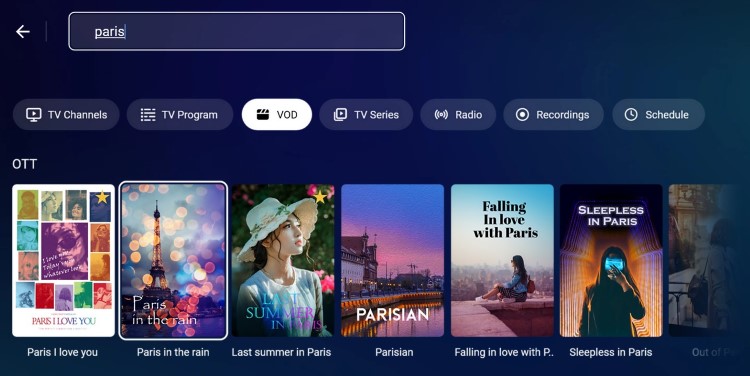
MYTVOnline3 is the proprietary streaming app developed exclusively for Formuler Android TV devices (such as the Formuler Z11 Pro Max and Z Mini). While it requires owning a Formuler box, the software is arguably the sleekest IPTV environment ever created.
Key Features:
- Advanced Timeshift technology — pause, fast-forward & rewind live TV
- Universal Search across live TV channels, Movies & Series VOD
- Modern glassmorphism user interface with dynamic EPG preview
- Picture-in-Picture (PIP) & customizable category management
- Automatic cloud updates directly from Formuler developers
For dedicated hardware enthusiasts, MYTVOnline3 delivers a fluid 4K streaming experience that feels like a $1,000 satellite receiver.
4. XCIPTV Player
Best Lightweight Free IPTV Player
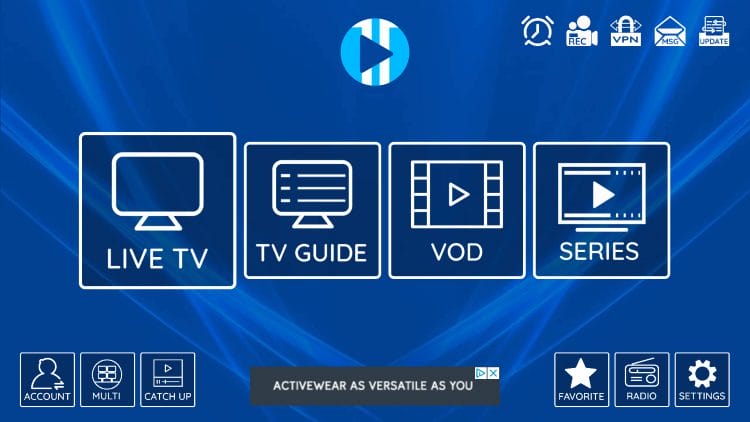
XCIPTV is a popular, lightweight IPTV player designed specifically for Fire TV and Android TV boxes. It features an attractive grid home screen with direct access to Live TV, EPG, VOD Movies, Series, and Account Info.
Key Features:
- Completely free to use with clean remote navigation
- Xtream Codes API & MAC address integration
- Built-in media players + full external player support (MX Player, VLC)
- Favorites manager & parental control PIN protection
- Low RAM usage — ideal for older streaming sticks
XCIPTV is easy to sideload and offers smooth playback even on low-spec hardware. Using an external player like MX Player inside XCIPTV effectively eliminates buffering on slower Wi-Fi networks.
5. StreamVault
Best Modern Multi-View App for Samsung & Android
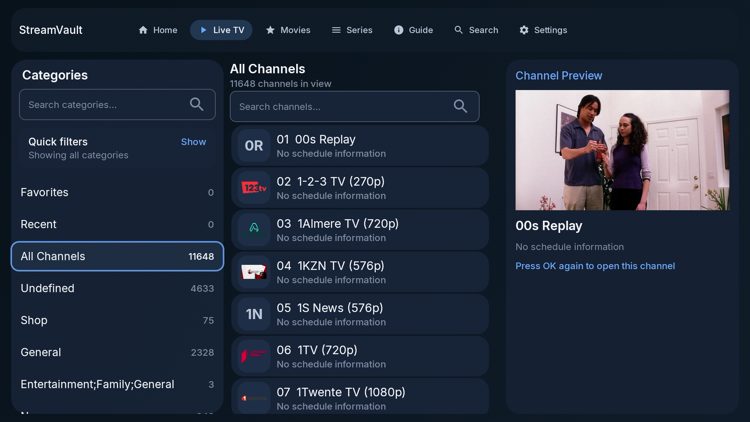
StreamVault is a fresh, modern IPTV player designed for Samsung Smart TVs and Android-based devices. It provides a polished UI for browsing Live TV, Movies, and Series with built-in watch progress tracking.
Key Features:
- Flawless multi-view split-screen playback for multiple live feeds
- Google Cast integration for casting streams from mobile to TV
- Cloud sync capabilities for backup and settings transfer
- Custom playback speeds, subtitle management & multi-language support
StreamVault’s multi-view engine makes it a strong contender for sports fans looking to watch multiple games at once on a Samsung or Android TV.
6. Chillio
Best Cross-Platform App for Apple & Android
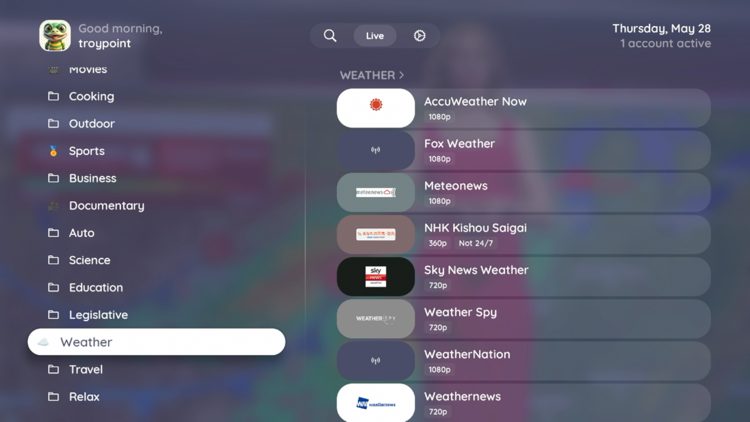
Developed by Lumos Labs, Chillio is a modern IPTV app available across Apple TV, iPhone, iPad, Mac, and Android TV / Google TV devices. It offers a consistent, elegant viewing experience on all platforms.
Key Features:
- Multi-view player for watching multiple live channels simultaneously
- Pause, timeshift, and catch-up TV support
- Full Electronic Program Guide with live channel preview
- Offline VOD downloads and customizable user profiles
7. TiviGlass
Best Freemium Player with Stalker & Stremio Support
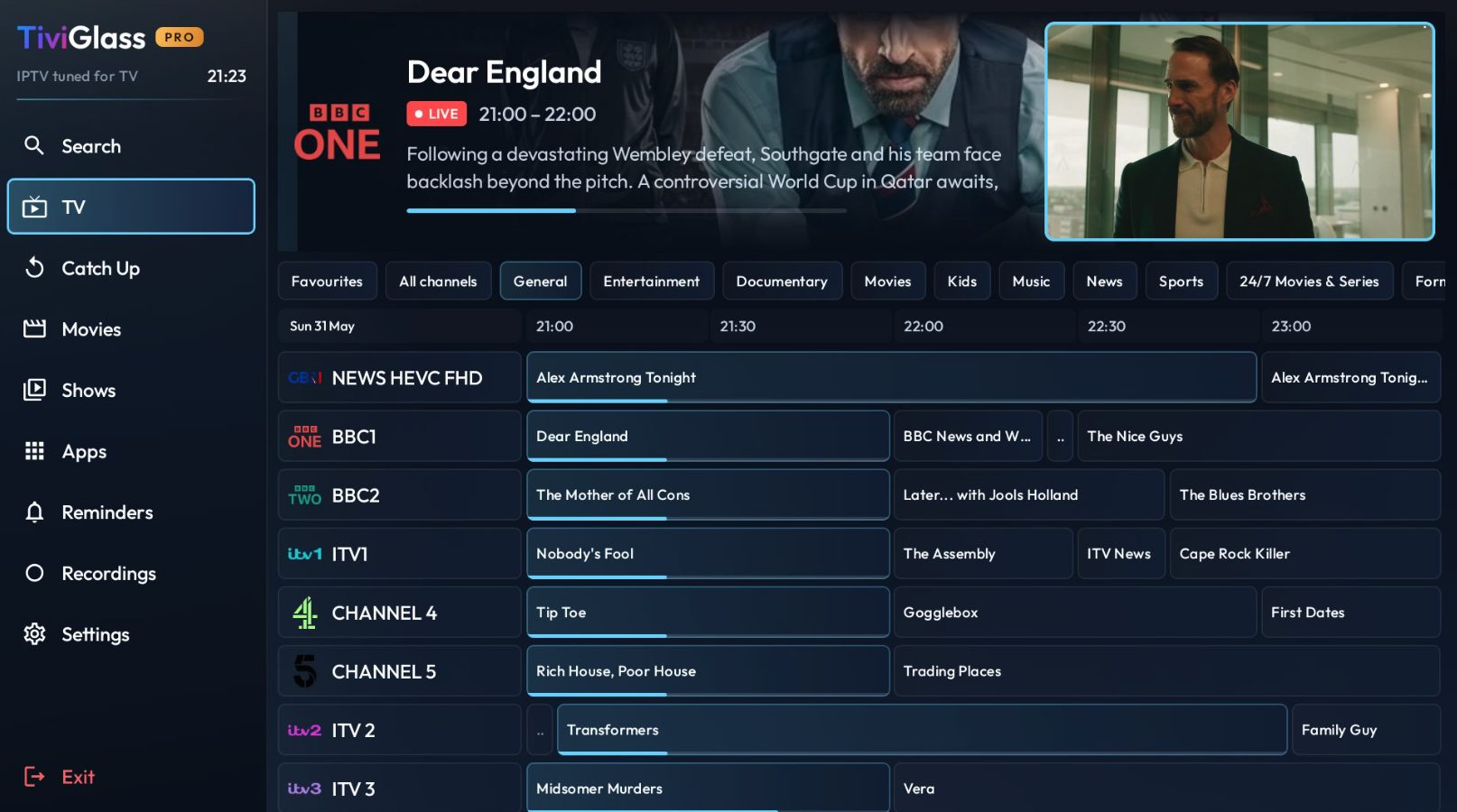
TiviGlass is a feature-packed freemium player for Android TV and Google TV devices. It accepts M3U URLs, Xtream Codes API logins, and Stalker Portals, giving users maximum playlist flexibility.
Key Features:
- Stalker Portal & M3U / Xtream Codes compatibility
- Stremio add-on integration for premium subscribers
- Cloud sync across devices & built-in Sports Hub category
- Active developer support via official Discord community
8. Sparkle TV
Best TiviMate Alternative for Android & Firestick
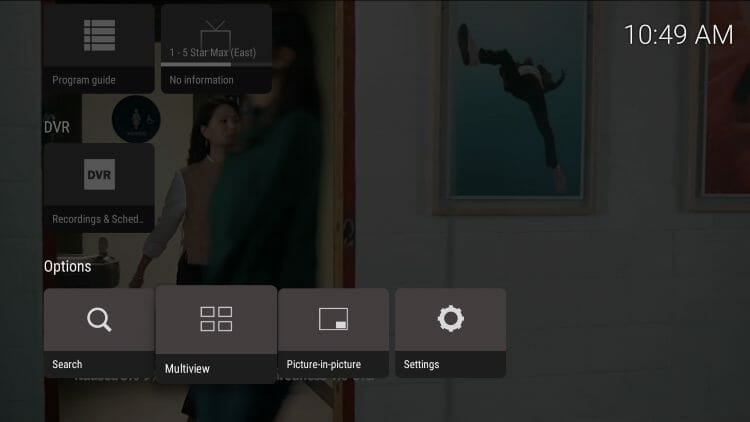
Sparkle TV has rapidly gained popularity as one of the closest alternatives to TiviMate. It features a cable-like grid EPG, DVR scheduling, and a smooth “Play Next” home screen bar for recently watched channels.
Key Features:
- Full EPG TV Guide grid with smooth scrolling
- DVR scheduling and Timeshift support
- Home screen integration showing recent channels and recordings
- Sparkle Plus premium upgrade available via Google Play
9. iMPlayer
Best Advanced Player with Cloud Management
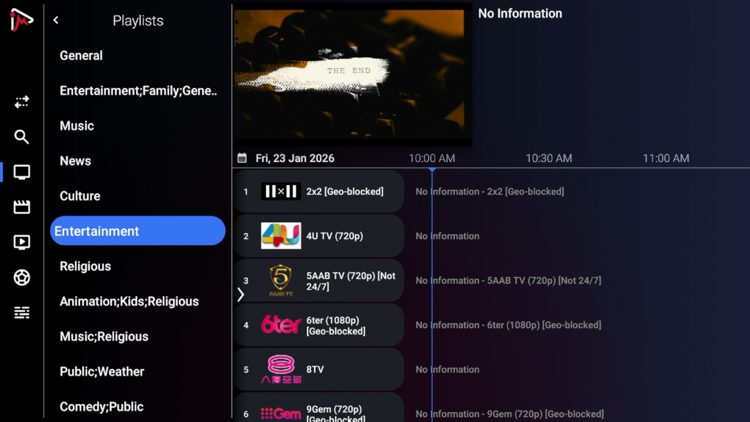
iMPlayer is a power-user IPTV application equipped with local and cloud backup capabilities, a remote management dashboard website, and advanced channel locking functions.
Key Features:
- Web dashboard for remote management of playlists & settings
- Multi-view support (up to 4 screens) and local Timeshift
- Cloud backup and restore across device connections
- Lifetime subscription packages for 3, 4, or 5 devices
10. Waveo (Wave IPTV)
Best Cloud-Synced Player for Android TV
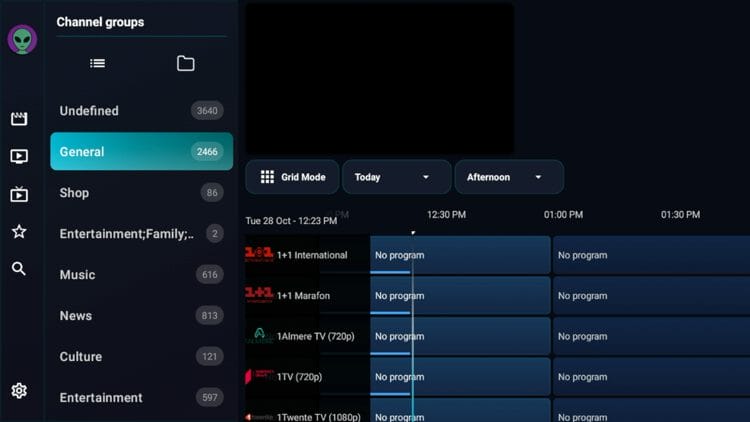
Waveo (formerly Wave IPTV) is an ad-free IPTV player featuring “MyWave” — a personalized home feed showing watch history, recommended content, and cloud-synced settings across all your devices.
Key Features:
- 100% ad-free viewing experience with 14-day free trial
- Cloud Sync to automatically mirror settings across devices
- Personalized history, quick actions bar & custom group sorting
11. NexTV
Best VOD-Focused IPTV Player
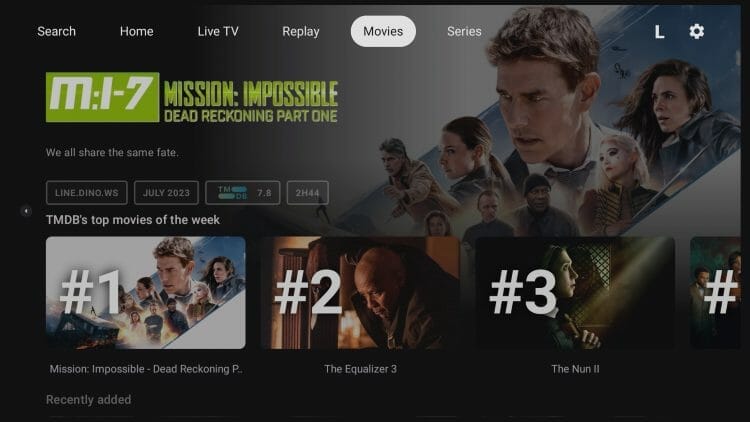
NexTV is built for streamers who prioritize VOD Movies and Series alongside live TV channels. It displays content in a hyper-modern layout reminiscent of Netflix or Apple TV+.
Key Features:
- Sleek Netflix-style VOD presentation with posters and descriptions
- Xtream Codes API integration and custom watchlist
- NexTV+ lifetime upgrade available for full feature access
12. OwnTV
Best 100% Free Open-Source Player (No Ads)
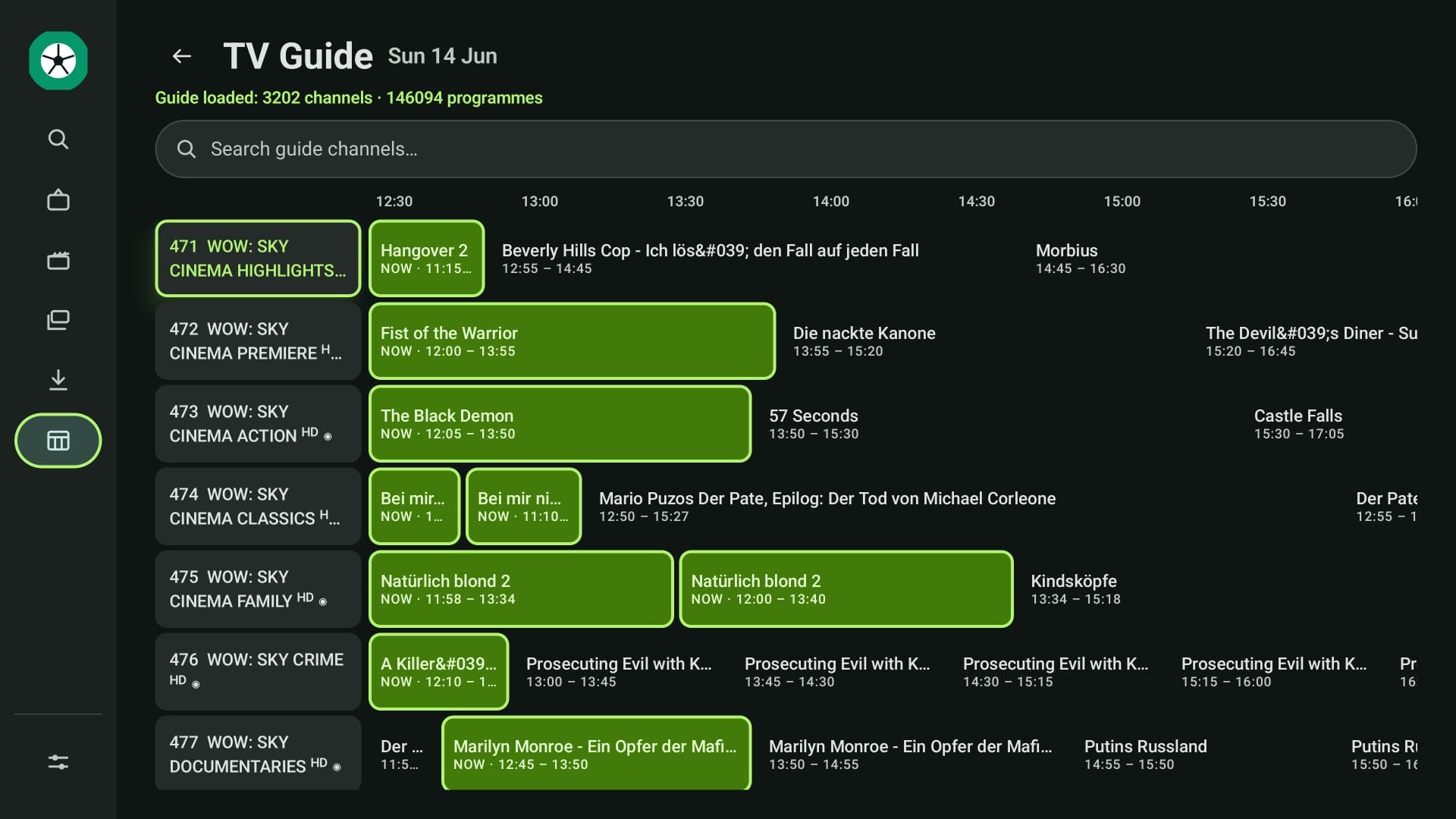
OwnTV is an open-source, completely free IPTV player with zero ads. It uses a dual video engine (mpv for VOD and ExoPlayer for Live TV) to ensure jitter-free playback.
Key Features:
- Free & open-source with no ads or paid tiers
- Dual video engines (mpv + ExoPlayer) for optimized decoding
- 7-day catch-up, live rewind & mini-player docking
- PIN-protected user profiles & offline video downloads
13. Max IPTV Player
Best Multi-Language IPTV App
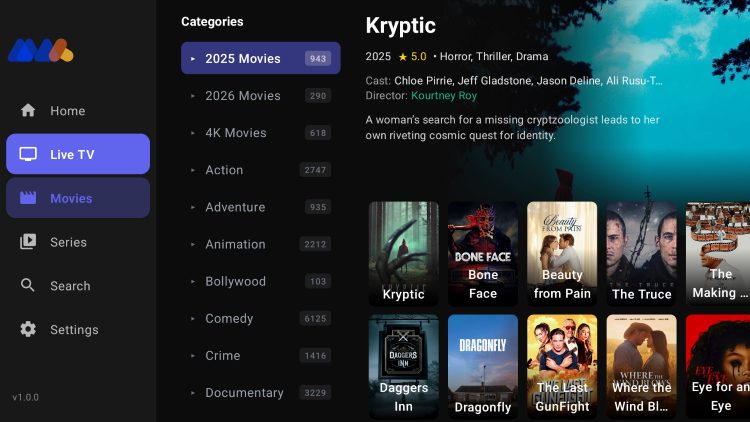
Max IPTV Player is a well-structured application featuring interface translations for over 20 languages, making it a great pick for international viewers residing in the USA.
Key Features:
- Multi-language support across 20+ interface translations
- Functional EPG guide, parental controls & cloud backup
- 7-day free trial for testing functionality
14. Perfect Player
Best Classic Lightweight Player
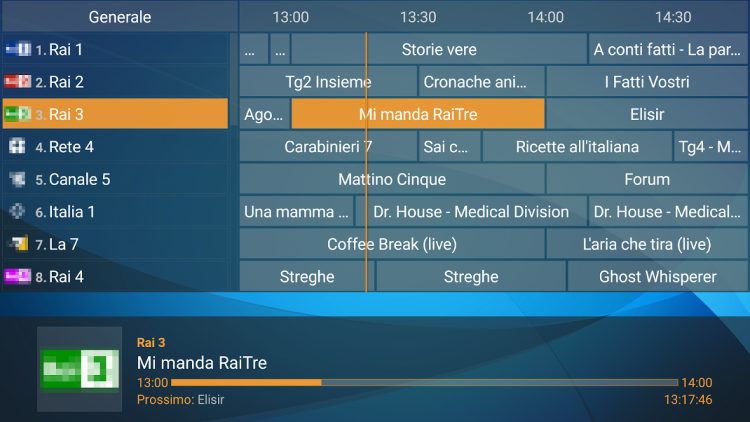
Perfect Player is a legendary IPTV player known for its minimal, ultra-clean interface. It uses virtually zero system resources and supports multi-language OSDs.
Key Features:
- Ultra-lightweight engine with minimal RAM footprint
- M3U playlist & Xtream Codes API support
- Multi-language audio & EPG rendering
15. Televizo
Best Budget-Friendly Paid IPTV App
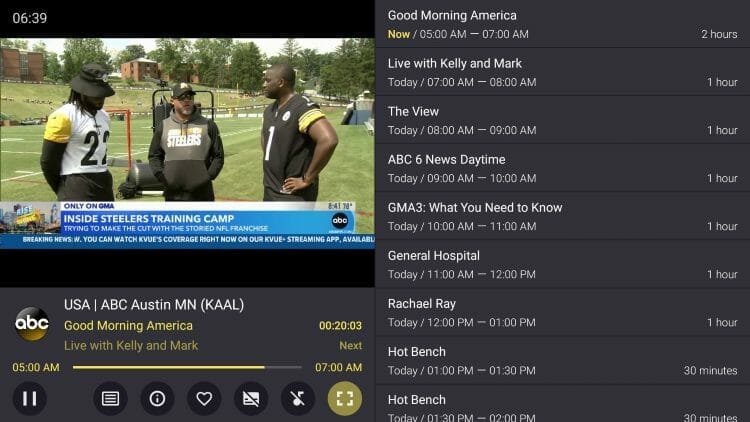
Televizo is a clean, modern player for Firestick and Android TV. Its affordable premium tier ($1.99/mo or $11.99/yr) removes ads and unlocks automatic full-screen playback and parental controls.
Key Features:
- Auto-update playlists & auto frame rate (AFR) matching
- Backup/restore functionality for settings
- Xtream Codes API & M3U support
16. Kodi (via PVR IPTV Simple Client)
Best Open-Source Media Center Integration

Kodi is the world’s most famous open-source media center software. Using the built-in PVR IPTV Simple Client add-on, Kodi functions as an effective IPTV player for live TV and EPG guide data.
Key Features:
- Integrates live TV directly into the Kodi home menu
- 100% free and open-source on Firestick, Android, Windows & Mac
- Advanced color management, custom audio streams & subtitle controls
17. IPTV Extreme Pro
Best Web-Managed M3U Player
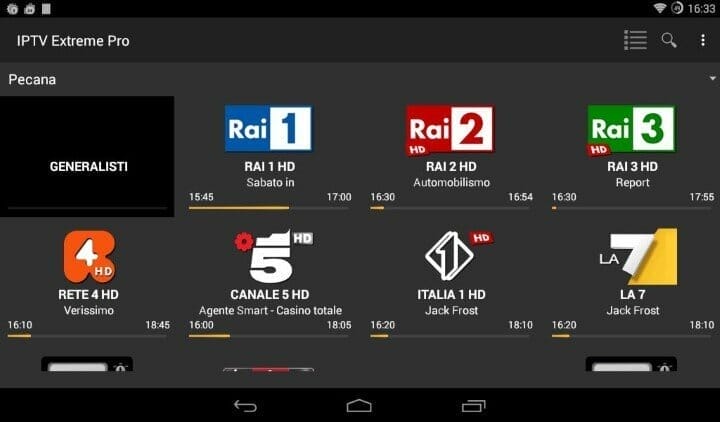
IPTV Extreme Pro is a popular player that allows users to add and manage playlists remotely via the IPTV Extreme web portal, making setup convenient on devices without keyboards.
Key Features:
- Remote web portal for managing playlists and settings
- Chromecast support, recording & external player integration
- M3U URL & MAC address login options
18. Smart IPTV (SIPTV)
Best Choice for Native Samsung & LG Smart TVs
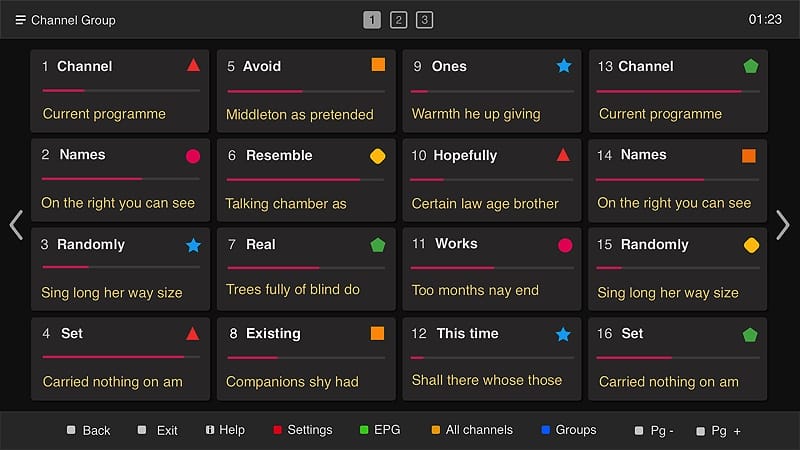
Smart IPTV (SIPTV) has been the main player for Samsung Tizen and LG webOS Smart TVs for over a decade. It operates via M3U playlist loading through the official SIPTV website using your TV’s MAC address.
Key Features:
- Native app for Samsung Tizen & LG webOS Smart TVs
- One-time activation fee for lifetime access
- Clean, straightforward channel list layout with EPG overlay
Best IPTV Apps Ranked by Device
To help you choose quickly, here is our top recommendation for each streaming platform in 2026:
| Streaming Device | Top Pick App | Runner-Up App | Install Method |
|---|---|---|---|
| Amazon Fire TV Stick | TiviMate | IPTV Smarters Pro | Sideload via Downloader app |
| Android TV / Google TV | TiviMate | Sparkle TV / XCIPTV | Google Play Store or Sideload |
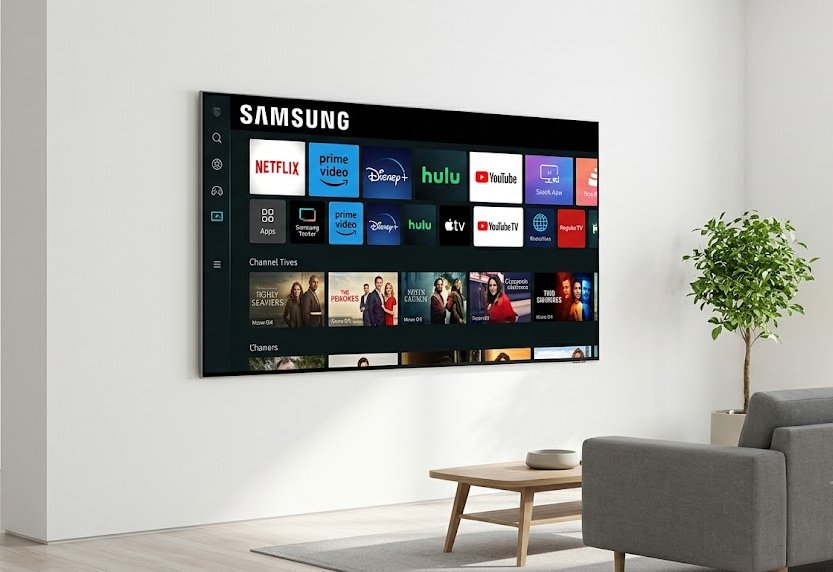
| Samsung Smart TV (Tizen) | IPTV Smarters Pro | Smart IPTV (SIPTV) | Samsung App Store |
| LG Smart TV (webOS) | Smart IPTV (SIPTV) | HDMI Firestick + TiviMate | LG Content Store / HDMI Stick |
| Apple TV 4K / iOS | GSE Smart IPTV | Chillio / IPTV Smarters | Apple App Store |
| Windows PC / Mac | IPTV Smarters Pro | VLC Media Player | Direct Installer / Microsoft Store |
How to Connect an IPTV Player to Your Provider
Connecting your IPTV app to your service provider takes under 5 minutes. Most players support three main connection protocols:
1. Xtream Codes API (Recommended)
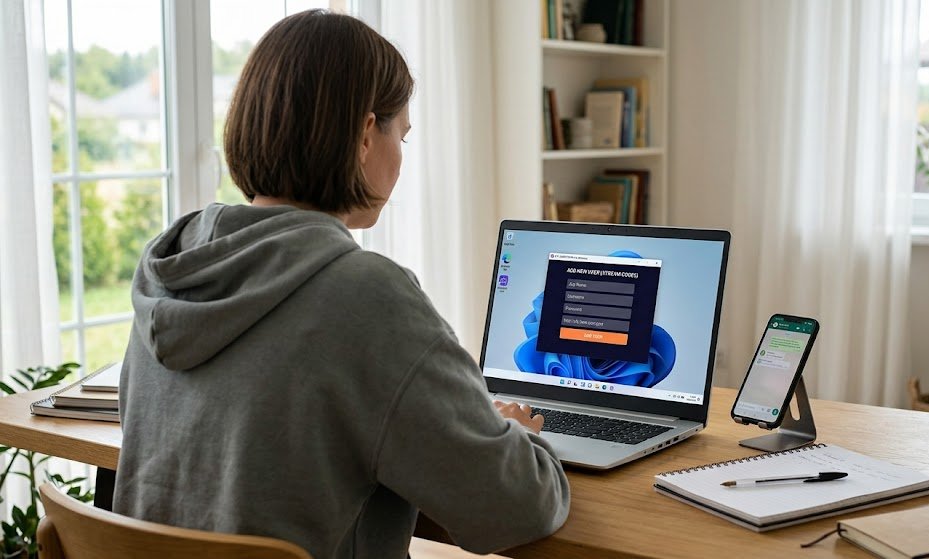
Xtream Codes API is the fastest, cleanest login method. You enter three pieces of information provided in your OURAIPTV welcome email:
- Server URL: (e.g.,
http://oura-server.net:8080) - Username: Your account username
- Password: Your account password
This automatically loads channel categories, EPG guide data, and VOD libraries without needing manual file uploads.
2. M3U Playlist URL
An M3U URL is a single web link containing your channel list. You copy and paste the M3U link into your app. This method works well on apps like VLC, Smart IPTV, or GSE Smart IPTV.
3. Stalker Portal / MAC Address
Used by hardware boxes (like MAG boxes) or apps supporting Stalker Portals (like TiviGlass or OTT Navigator). You register your device’s MAC address (e.g., 00:1A:79:XX:XX:XX) with your provider and enter the portal URL into your app.
If you’re installing an IPTV app on a Firestick or Smart TV for the first time, check out our complete IPTV installation guide with screenshot walkthroughs for every device.
Are IPTV Players Legal?
Yes. IPTV players are 100% legal to install and use.
An IPTV app is simply a standalone video media player (much like VLC Media Player, MX Player, or Windows Media Player). The player software contains no channel feeds, videos, or copyrighted streams. It is an empty vessel until you choose to connect a playlist or subscription service.
Many top players (such as IPTV Smarters Pro, TiviMate, and GSE Smart IPTV) are hosted in official app stores including the Google Play Store and Apple App Store. These official platforms enforce strict verification policies to confirm software compliance.
Because video data travels over open IP networks, your Internet Service Provider (ISP) can monitor data volume and may throttle high-bandwidth video traffic during peak evening hours (7 PM – 11 PM). Using an encrypted connection ensures steady streaming speeds and privacy. If you ever experience stream buffering, review our IPTV troubleshooting guide for instant speed and decoder fixes.
Ready for Buffer-Free 4K IPTV Streaming?
Pair any top IPTV player from this guide with a premium service. Stream over 25,000+ live channels, 100,000+ movies & series in crisp 4K Ultra HD on any device.

Frequently Asked Questions
What is the best IPTV app for Firestick in 2026?
TiviMate is widely considered the best IPTV player for Amazon Firestick in 2026 due to its cable-like EPG grid, recording feature, and fast channel switching. For beginners, IPTV Smarters Pro is the easiest free option to set up. Both apps work seamlessly with OURAIPTV.
Do I need a separate subscription to use an IPTV app?
Yes. An IPTV app is just a media player — it needs credentials from a reliable IPTV provider to load live channels, sports, and movies. The app itself contains no content.
Can I install IPTV apps on Samsung or LG Smart TVs?
Yes. Samsung Tizen Smart TVs support IPTV Smarters Pro and Smart IPTV (SIPTV). LG webOS TVs support Smart IPTV (SIPTV). Alternatively, plugging an Amazon Firestick into your TV’s HDMI port lets you use any Android-based IPTV app like TiviMate.
Are IPTV player apps free?
Many top IPTV apps (like IPTV Smarters Pro, XCIPTV, and OwnTV) are 100% free. Others (like TiviMate, Sparkle TV, and Televizo) offer robust free tiers along with optional premium upgrades for features like DVR recording, multi-screen, and cloud sync.
What is the difference between Xtream Codes API and M3U?
Xtream Codes API uses a server URL, username, and password to connect — it automatically imports channel categories, EPG data, and VOD. An M3U playlist is a single web link containing your stream index. Quality providers like OURAIPTV offer both login options.
How do I stop buffering on my IPTV app?
To eliminate buffering: 1) Switch your app’s decoder setting from Hardware (HW) to Software (SW) or use an external player like MX Player; 2) Connect via Ethernet cable or 5 GHz Wi-Fi; 3) Clear your app cache regularly. For full fixes, see our IPTV troubleshooting guide.
Can I use one IPTV subscription on multiple devices?
Yes, depending on your plan. Many cord-cutters like to stream on their living room Firestick, bedroom Smart TV, and mobile phone. Check out our guide on why switch to IPTV.
Which IPTV apps are compatible with OURAIPTV?
OURAIPTV works with all 18 apps featured in this guide, including TiviMate, IPTV Smarters Pro, MYTVOnline3, XCIPTV, Sparkle TV, GSE Smart IPTV, and VLC. We provide Xtream Codes API, M3U URL, and Stalker Portal credentials.